






 Salesforce ERP
 ERP + CRM Platform
  Inventory Management
  Warehouse Management
  Order Management
  Vendor Management
  Logistics Management
  BOM Management
  Order Fulfillment
  Business Operations
  SaaS Platform for Operations
  Salesforce Cloud ERP Platform
  Xero
Xero
 Zoho books
 Quickbooks
 Shopify
 Acumatica
 SAP
SAP
 Odoo
Odoo
 NetSuite
 Microsoft Dynamics 365
 Sage
Sage



 Agentforce Revenue Management
 Agentforce Revenue Management + Billing
  Salesforce CPQ
 Salesforce Advanced Billing
  Migrate from CPQ to ARM
  Managed Services
 Salesforce Implementation
 Revenue Cloud Implementation
 ServiceNow Consulting Services
 Zoho CRM implementation
 MuleSoft Integration
 Workato Integration
 Microsoft
 Data Cloud
 Tableau

 Prerequisites for Verification Code Settings
Before configuring the Verification Code settings, ensure that the following Salesforce settings are configured correctly.
Verify the Automation Flow
Ensure that the required Flow for sending the document with a verification code is active.
The active Flow should be configured according to your business requirements and should trigger the document and verification code email when the defined conditions are met.
Configure Email Deliverability
If users are not receiving verification code emails, check the Salesforce Deliverability settings.
Steps to configure Email Deliverability:
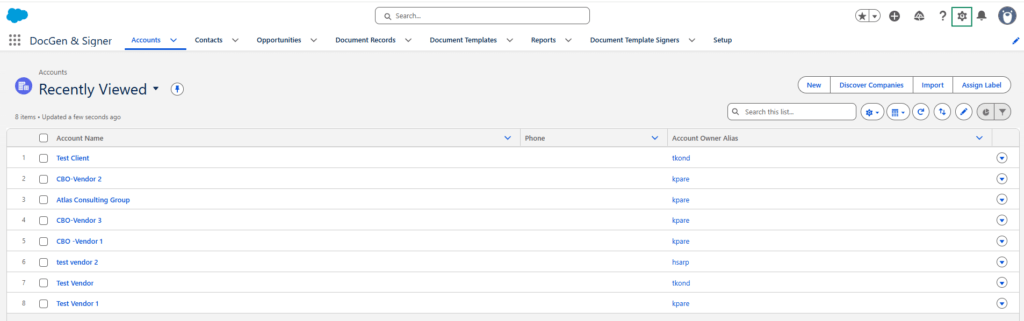
1. Click the Gear icon (⚙️).
2. Select Setup.
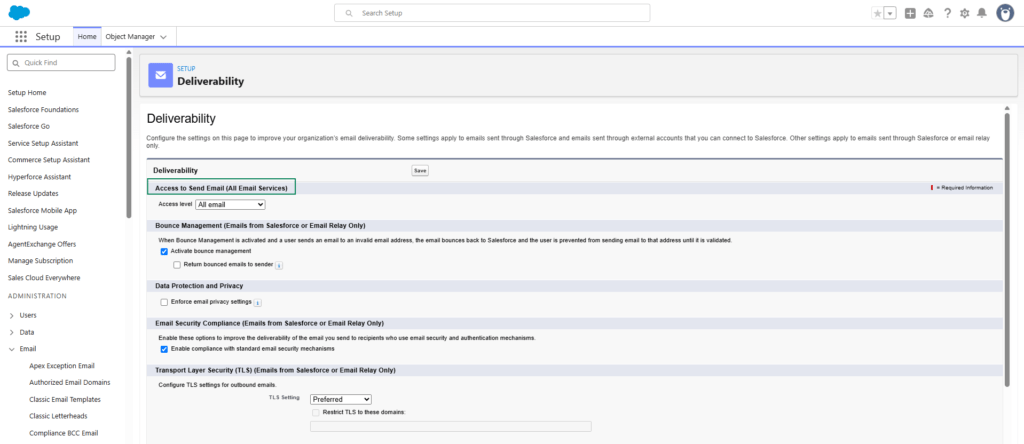
3. In the Quick Find box, search for Deliverability.
4. Open Deliverability under Access to Send Email (All Email Services).
5. Check the Access Level.
6. Set the Access Level to All Emails.
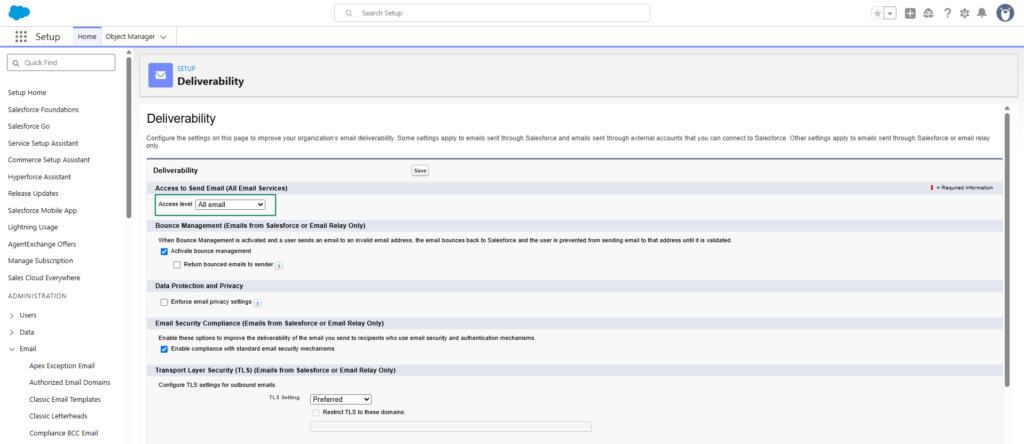
7. Click Save.
Configure Workflow Rule Email Settings
Verify that the required Workflow Rule email configuration is set correctly.
Steps to Configure Workflow Rule Email Settings
- Click the Gear icon (⚙️).
- Select Setup.
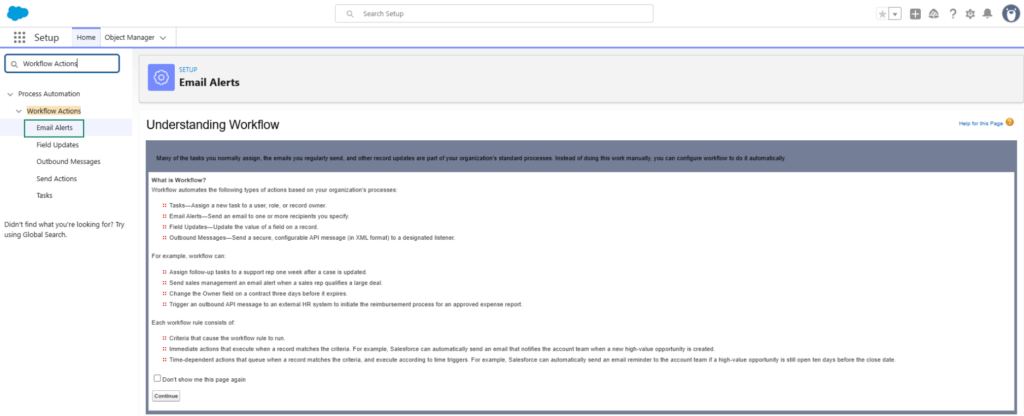
- In the Quick Find box, search for Workflow Actions.
- Click on Email Alerts.
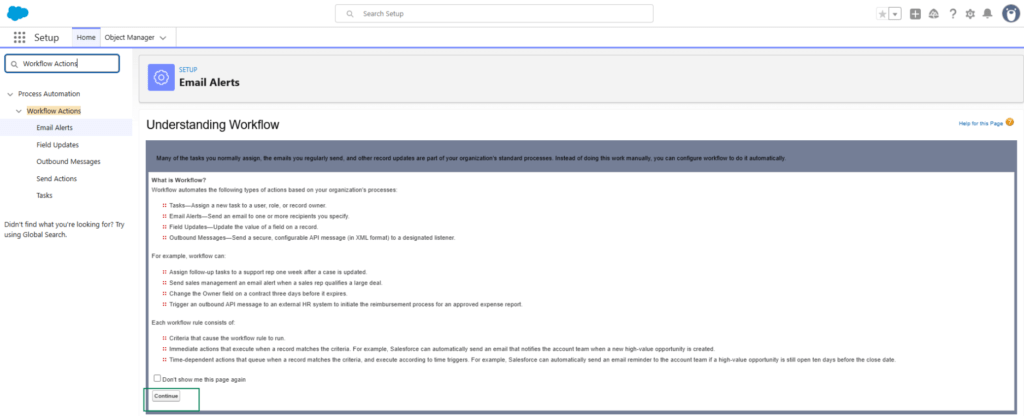
- Click Continue.
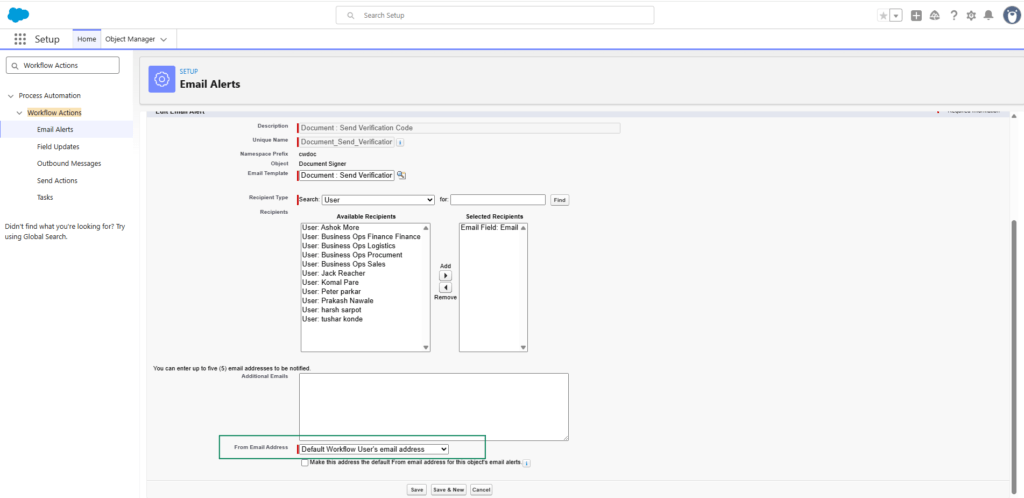
- Ensure that the From Email Address is configured as the Default Workflow User’s Email Address.
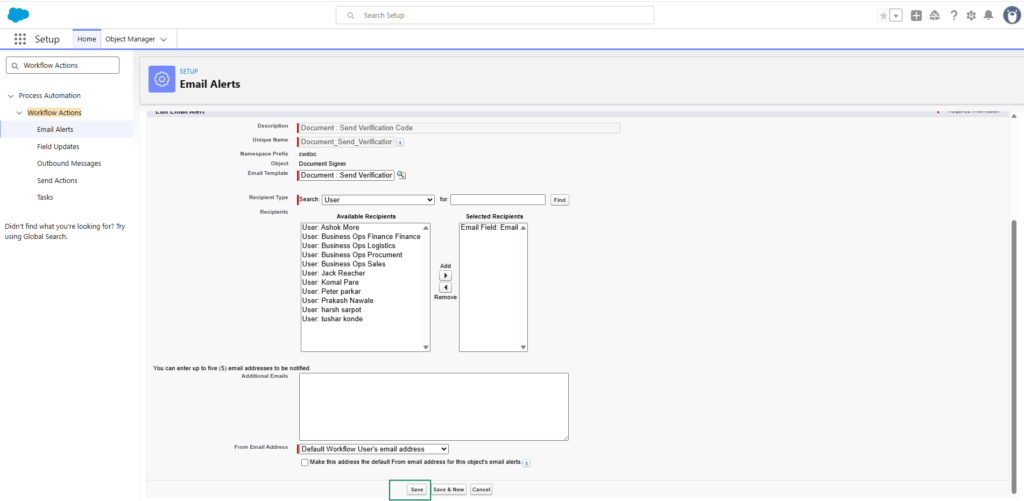
- Click Save.

Note: These settings should be configured before testing the Verification Code functionality to ensure that verification code emails are delivered successfully.