






 Salesforce ERP
 ERP + CRM Platform
  Inventory Management
  Warehouse Management
  Order Management
  Vendor Management
  Logistics Management
  BOM Management
  Order Fulfillment
  Business Operations
  SaaS Platform for Operations
  Salesforce Cloud ERP Platform
  Xero
Xero
 Zoho books
 Quickbooks
 Shopify
 Acumatica
 SAP
SAP
 Odoo
Odoo
 NetSuite
 Microsoft Dynamics 365
 Sage
Sage



 Agentforce Revenue Management
 Agentforce Revenue Management + Billing
  Salesforce CPQ
 Salesforce Advanced Billing
  Migrate from CPQ to ARM
  Managed Services
 Salesforce Implementation
 Revenue Cloud Implementation
 ServiceNow Consulting Services
 Zoho CRM implementation
 MuleSoft Integration
 Workato Integration
 Microsoft
 Data Cloud
 Tableau

 Configure Organization-Wide Email Addresses
To send emails to signers, the application uses Organization-Wide Email Addresses. This feature allows emails to be sent from a verified organizational email address.
Steps to Add an Organization-Wide Email Address
➢ Go to Setup (⚙️ Gear icon).
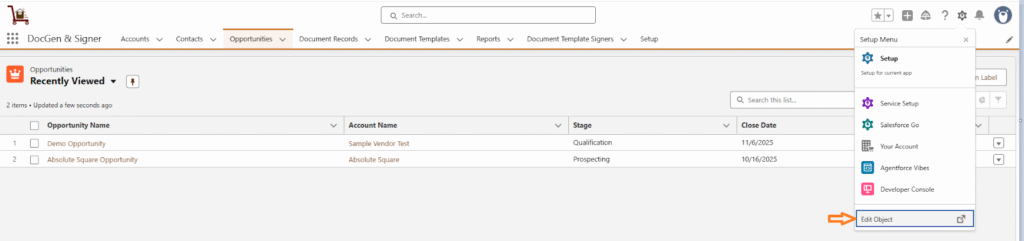
➢ In the Quick Find box, search for Organization-Wide Email Addresses.
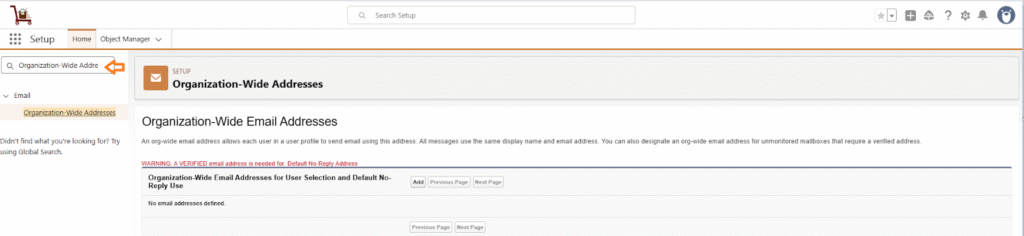
➢ Click Add and Enter the required details such as Display Name, Email Address.
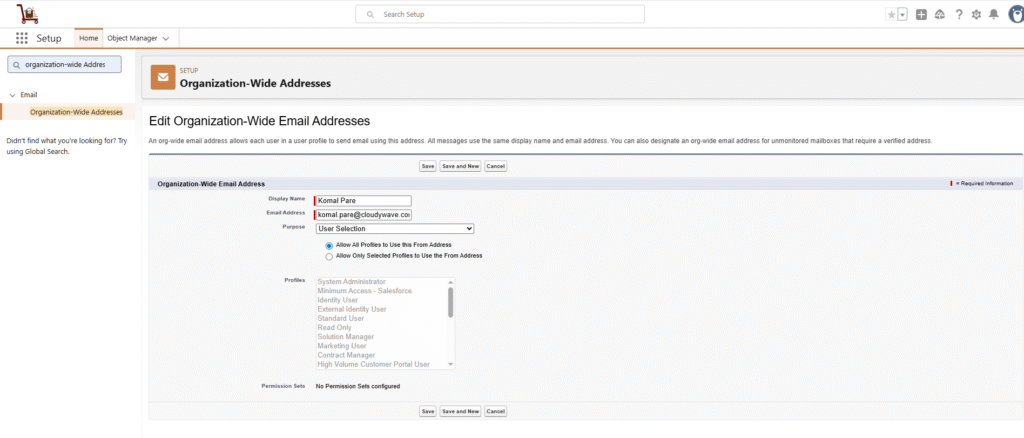
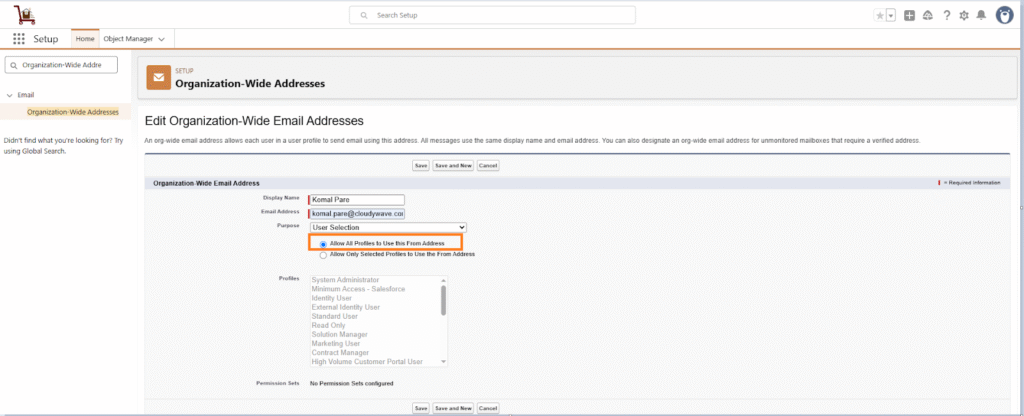
➢ Select the radio button Allow All Profiles to Use this From Address. Emails will not be sent to the signers if a profile is not selected.
➢ Click Save.
➢ A verification email will be sent to the provided email address. Open the email and click the verification link to confirm.