






 Salesforce ERP
 ERP + CRM Platform
  Inventory Management
  Warehouse Management
  Order Management
  Vendor Management
  Logistics Management
  BOM Management
  Order Fulfillment
  Business Operations
  SaaS Platform for Operations
  Salesforce Cloud ERP Platform
  Xero
Xero
 Zoho books
 Quickbooks
 Shopify
 Acumatica
 SAP
SAP
 Odoo
Odoo
 NetSuite
 Microsoft Dynamics 365
 Sage
Sage



 Agentforce Revenue Management
 Agentforce Revenue Management + Billing
  Salesforce CPQ
 Salesforce Advanced Billing
  Migrate from CPQ to ARM
  Managed Services
 Salesforce Implementation
 Revenue Cloud Implementation
 ServiceNow Consulting Services
 Zoho CRM implementation
 MuleSoft Integration
 Workato Integration
 Microsoft
 Data Cloud
 Tableau

 Assign Permission Set
Assign the permission set to the Standard User or System Administrator to ensure they have the required access to perform all necessary actions within the application. Only the System Administrator has the right to assign the permission set to other users.
Steps to Assign the Permission set :
➢ Go to Setup (⚙️ Gear icon).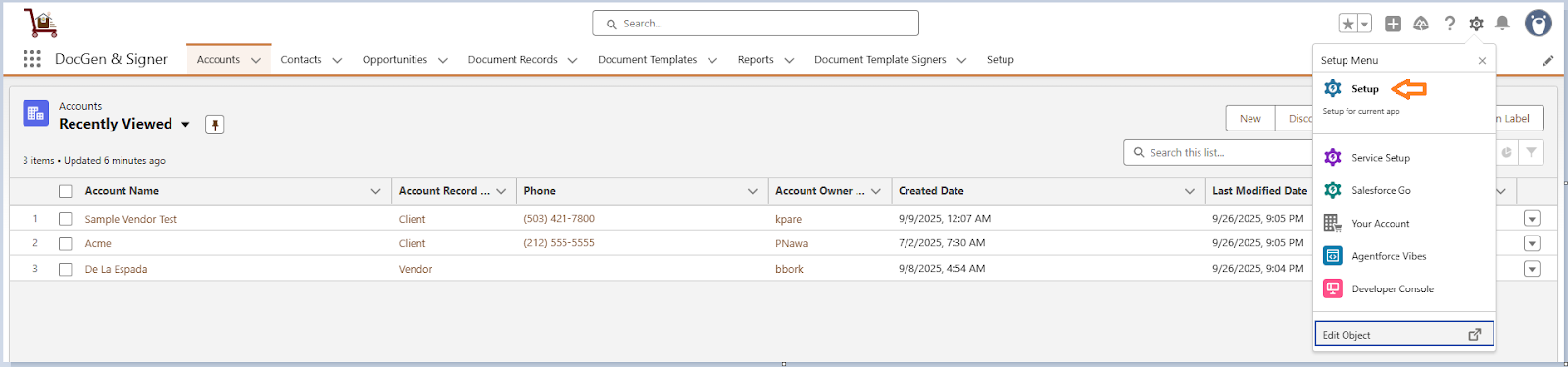
➢ In the Quick Find box, Search Users.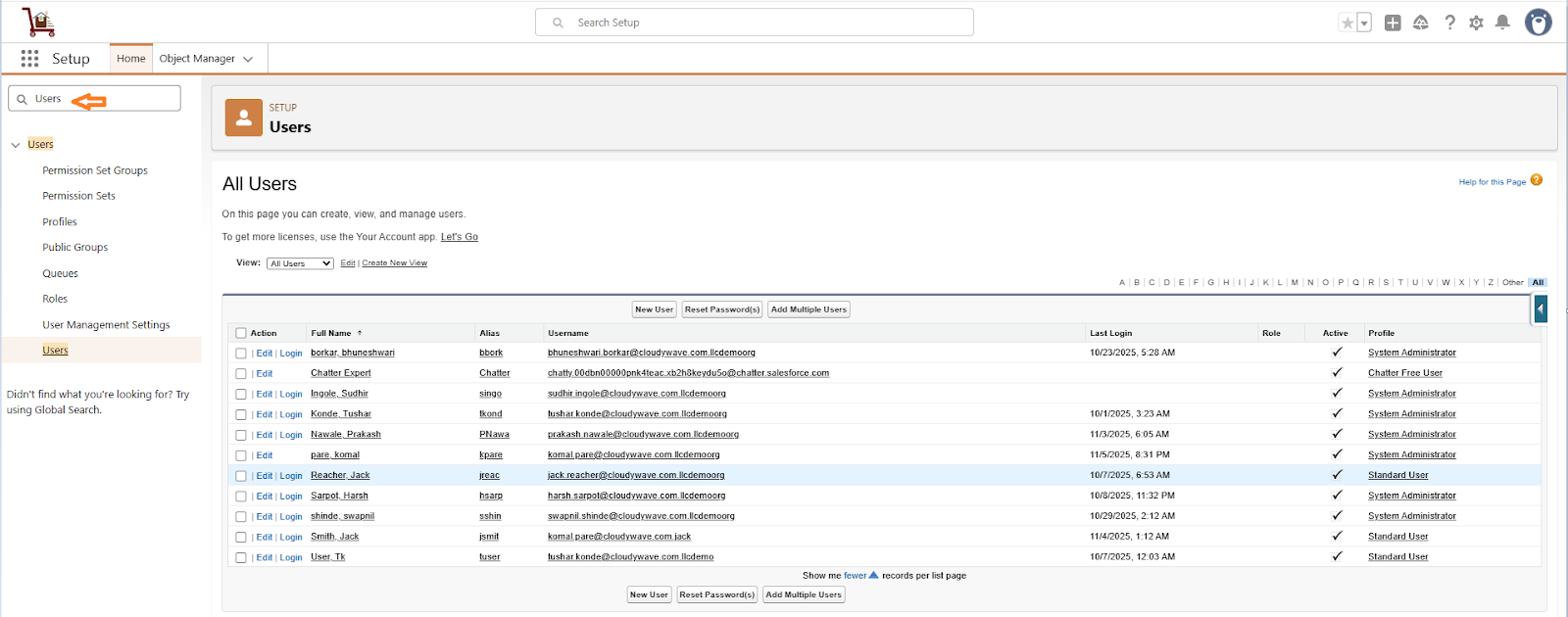
➢ Select the users to whom you want to assign the Permission Set, or assign the Permission Set to yourself as well.
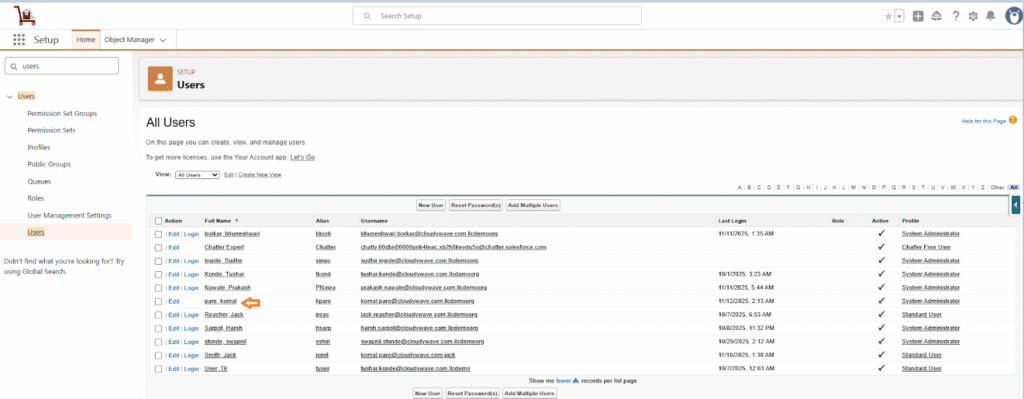
➢ Click on Permission Set Assignment.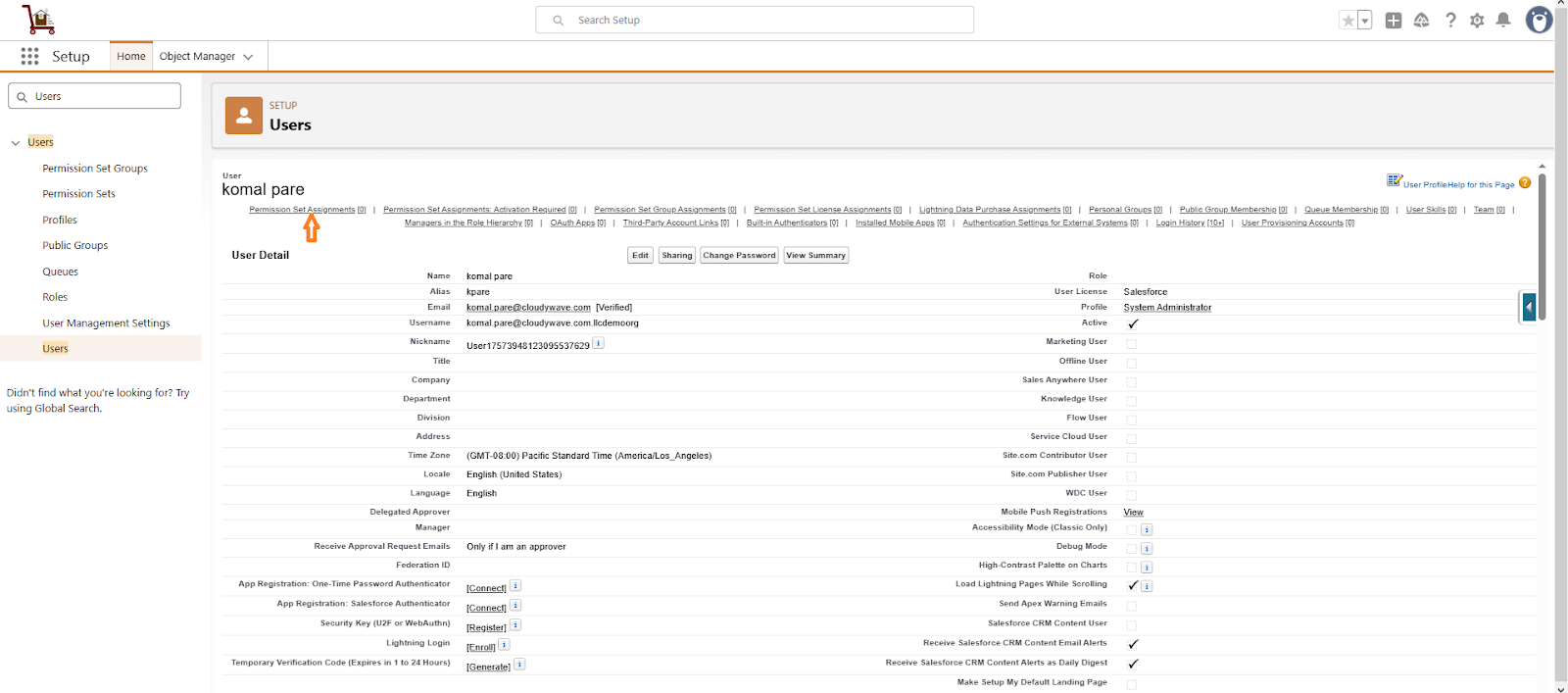
➢ Click on Edit Permission Set.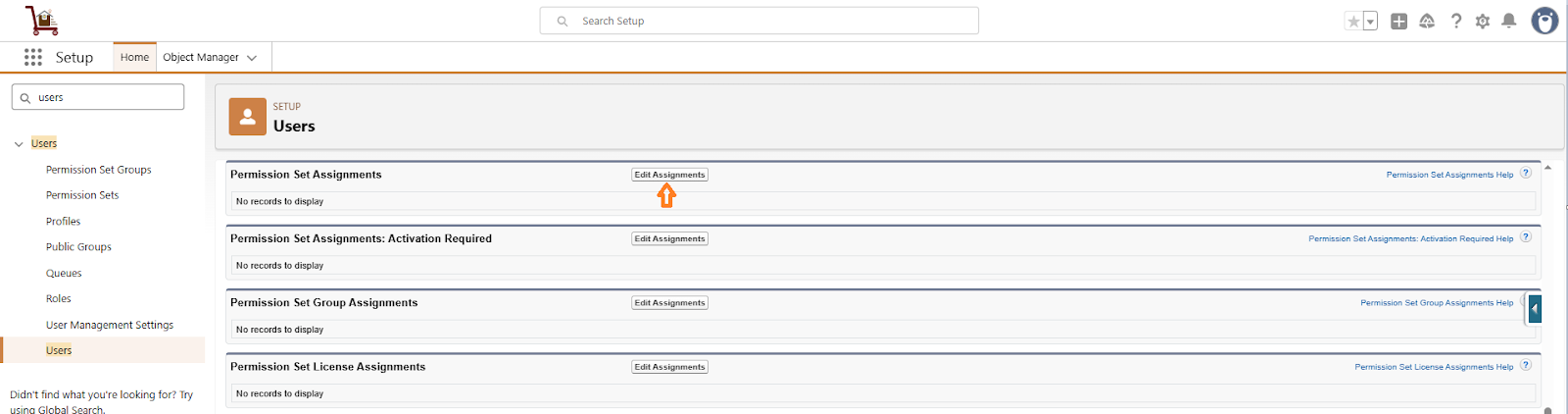
➢ Click on Cloudy DocGen & Signer Full Permissions and click on add Arrow.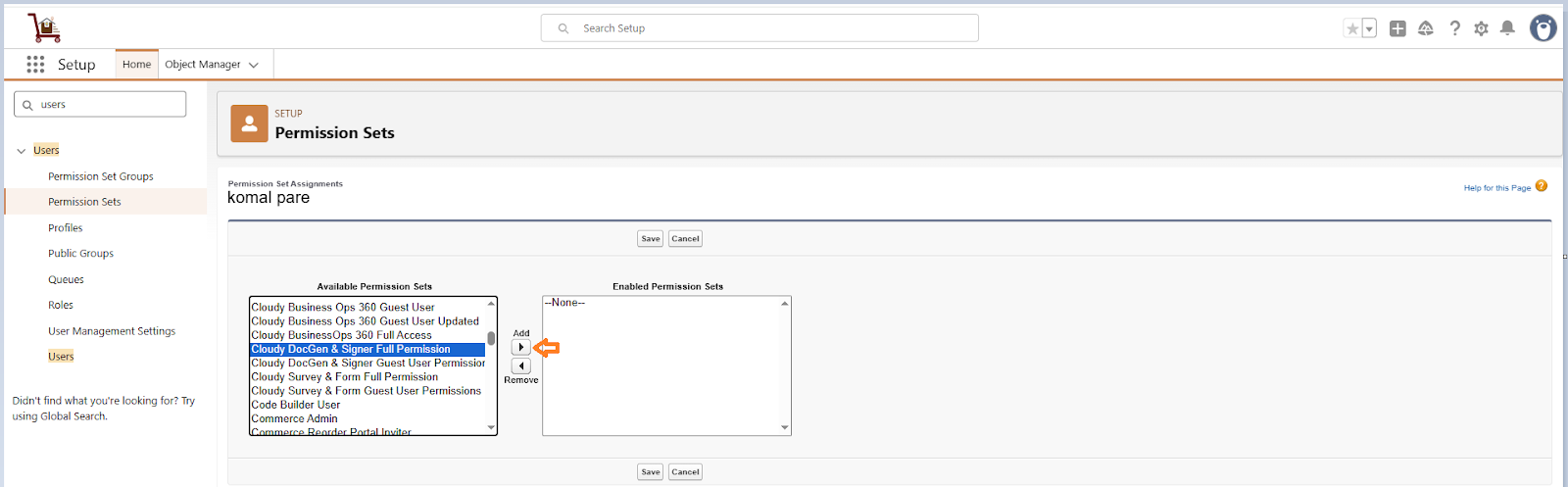
➢ Click on Save.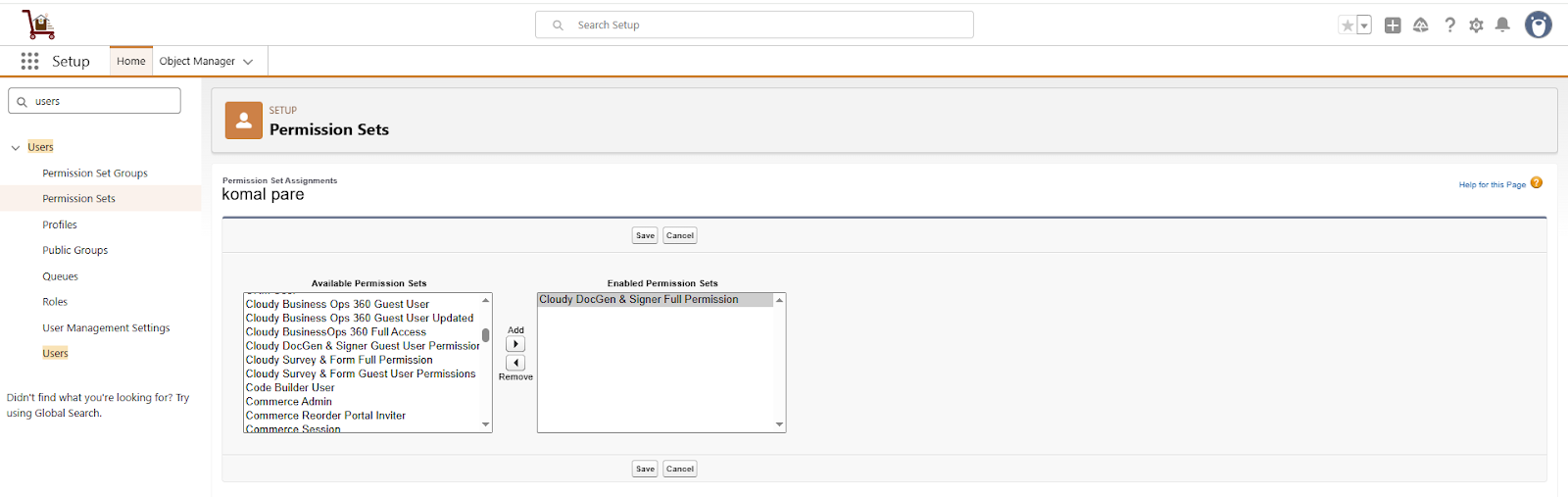
➢ Refresh the org and search for “DocGen and Signer” in the App Launcher search box. If you experience any refresh issues or if the document-related tabs do not appear, log out and log back in.