





 Salesforce ERP
 ERP + CRM Platform
  Inventory Management
  Warehouse Management
  Order Management
  Vendor Management
  Logistics Management
  BOM Management
  Order Fulfillment
  Business Operations
  SaaS Platform for Operations
  Salesforce Cloud ERP Platform
  Xero
Xero
 Zoho books
 Quickbooks
 Shopify
 Acumatica
 SAP
SAP
 Odoo
Odoo
 NetSuite
 Microsoft Dynamics 365
 Sage
Sage



 Agentforce Revenue Management
 Agentforce Revenue Management + Billing
  Salesforce CPQ
 Salesforce Advanced Billing
  Migrate from CPQ to ARM
  Managed Services
 Salesforce Implementation
 Revenue Cloud Implementation
 ServiceNow Consulting Services
 Zoho CRM implementation
 MuleSoft Integration
 Workato Integration
 Microsoft
 Data Cloud
 Tableau

 Download Document
This feature allows you to save a copy of the document directly to your device. You can download the document at various stages: before signing, after signing, or once the document is fully executed by all parties.
Download Document Individually
The Download Document Individually functionality allows users to download a specific document template without downloading all available documents.
This option is useful when the user requires only a particular document from the available document templates.
👉 1. Steps to download document individually without signer :
➢ Navigate to the Target Object
Go to the Target Object selected in the Template Information tab and open the desired record.
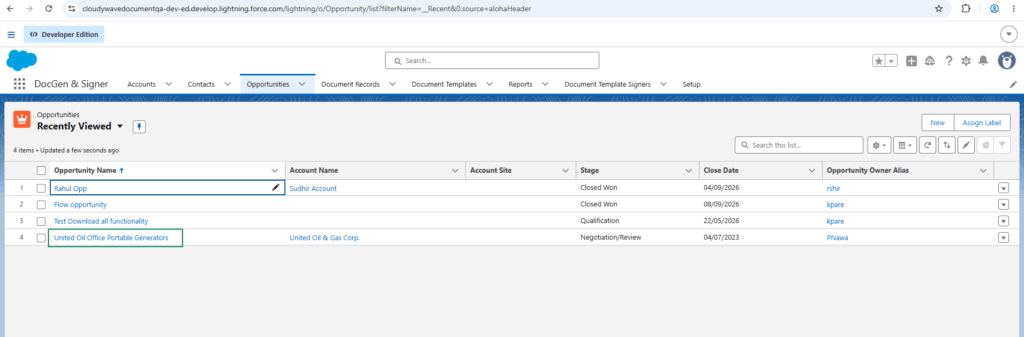
➢ Generate the Document
Click on Generate Document.
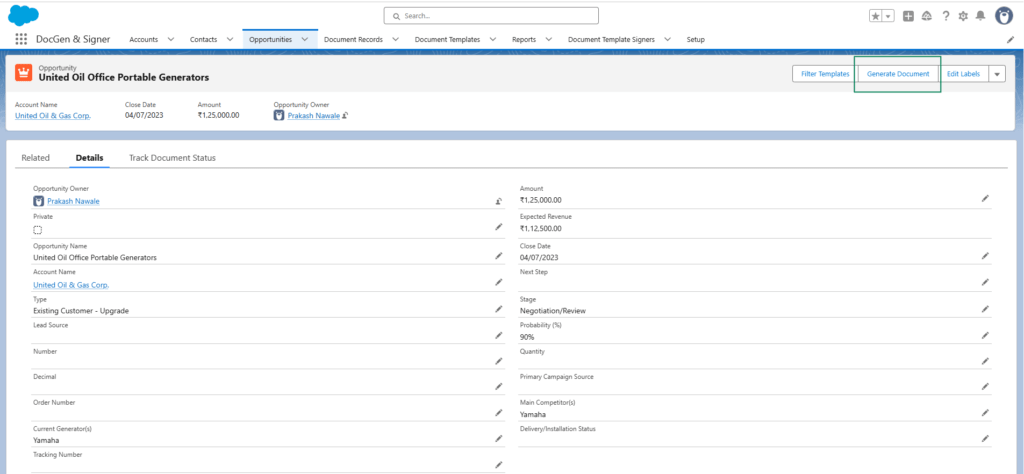
➢ Download the document
To download the document select the document and click on Download.
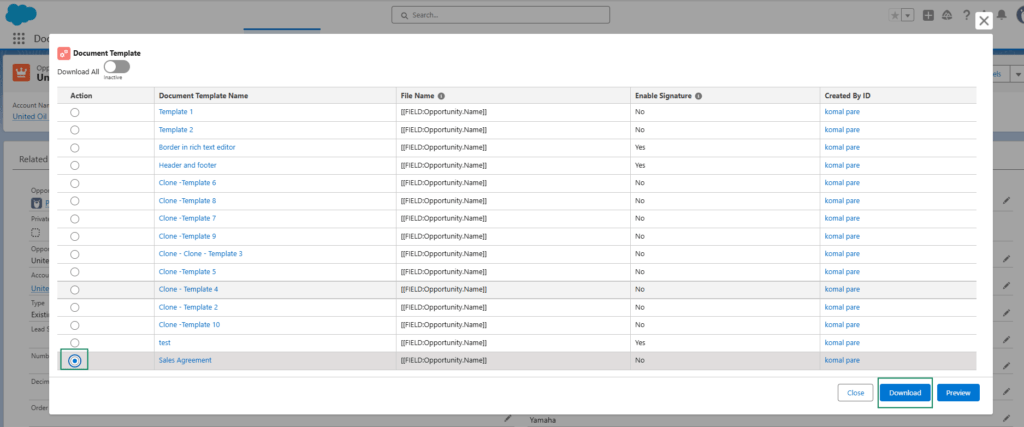
➢ After clicking on download it will save on the local device.
👉 2. Steps to download document individually with signer :
1.Navigate to the Target Object
Go to the Target Object selected in the Template Information tab and open the desired record.
2.Generate the Document
Click on Generate Document.
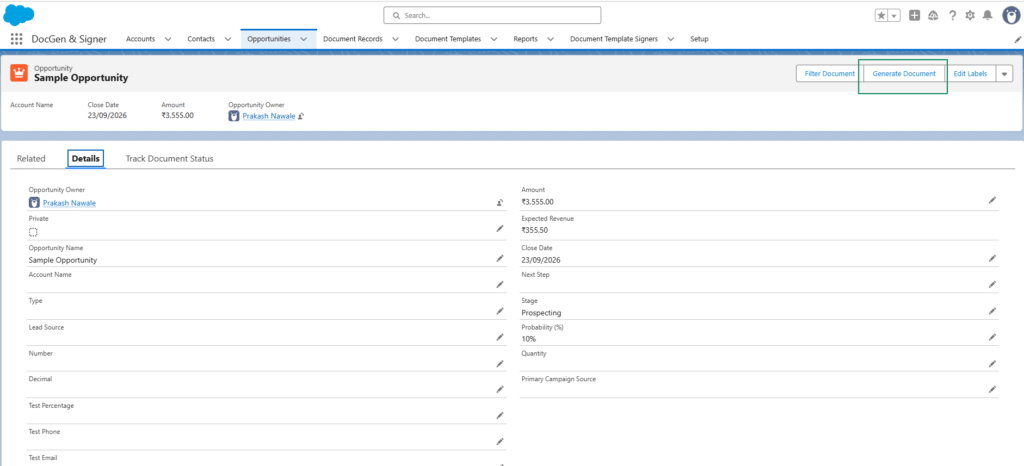
3.Select the required document template.
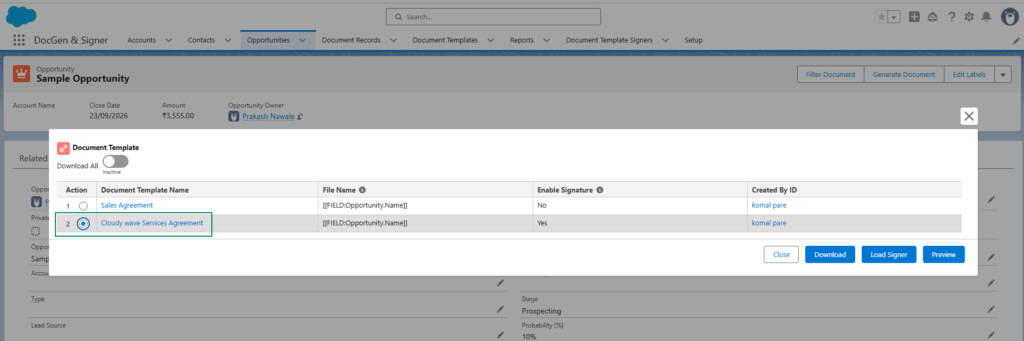
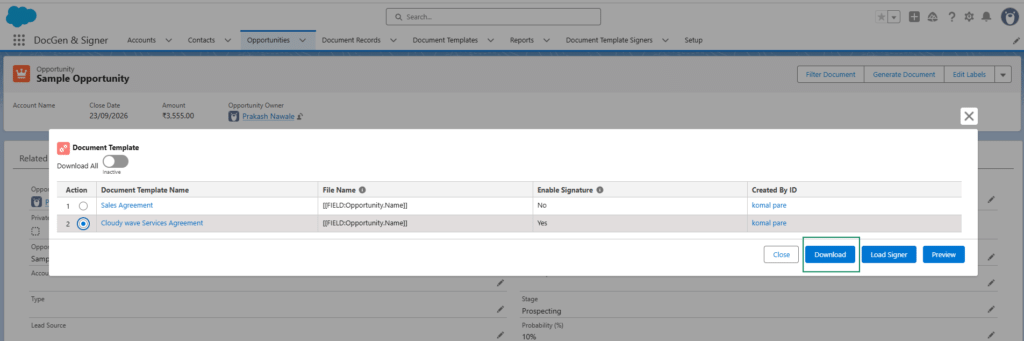
4.Download the document
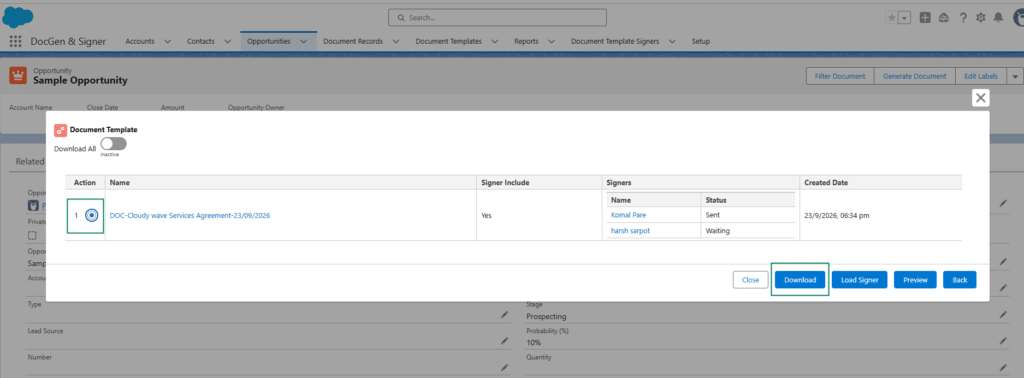
To download the document, select the required document and click Download. For documents with signers, the document must be sent to the signer by email before it can be downloaded.
5.You will see the records and select the record to download.
👉 Download All Documents in One Click
The Download All functionality allows users to select and download multiple documents in a single action when generating documents from a target record.
For document templates that do not have Signers configured, administrators can use the Default Select For Download All setting to automatically select those templates for download.
Users can still review the available documents and select or deselect documents before downloading them.
Key Benefits
- Allows users to download multiple documents in one click.
- Reduces the need to generate and download documents individually.
- Allows administrators to define which templates should be selected by default.
- Users can review and modify the document selection before downloading.
- Provides flexibility to select or deselect documents based on the user’s requirements.
Configure a Template for Default Selection
To automatically select a document template when using Download All, enable the Default Select For Download All setting on the document template.
Steps to Configure a Template for Default Selection
- Navigate to the Document Template that does not have any Signers configured.
- Open the General Setting tab.
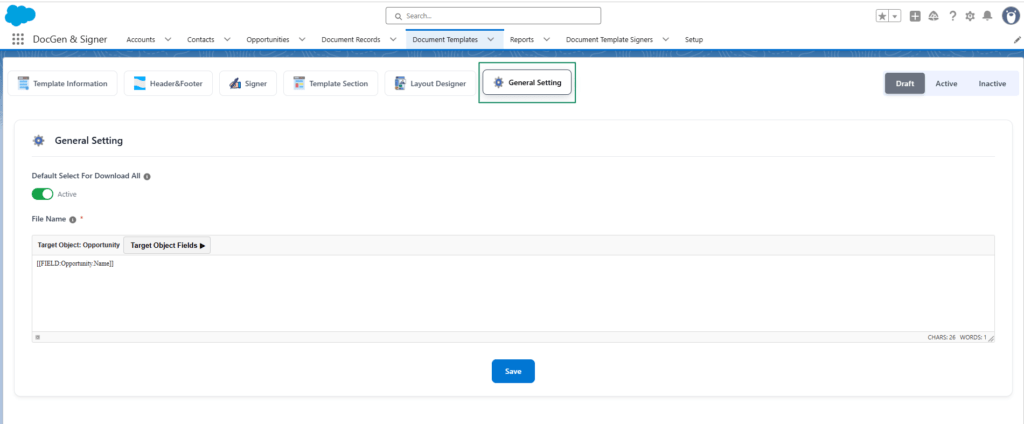
- Locate the Default Select For Download All checkbox.
- Select Default Select For Download All.
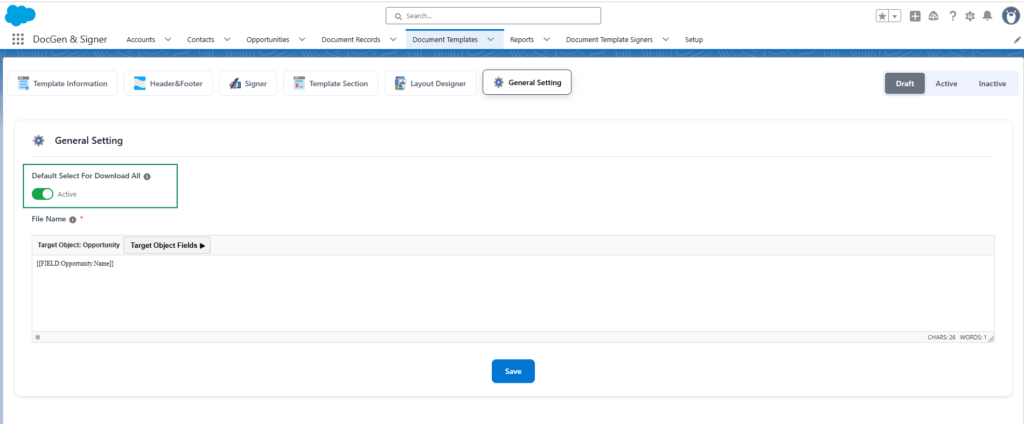
- Save the document template.
Once this setting is enabled, the document template will be selected by default when the user uses the Download All functionality during document generation.

Note: The Default Select For Download All setting is applicable to document templates that do not have Signers configured.
👉Download Documents Using Download All
After configuring the required document templates, users can download multiple documents from a target record.
Steps to Download Selected Documents in One Click
- Navigate to the required Target Object record.
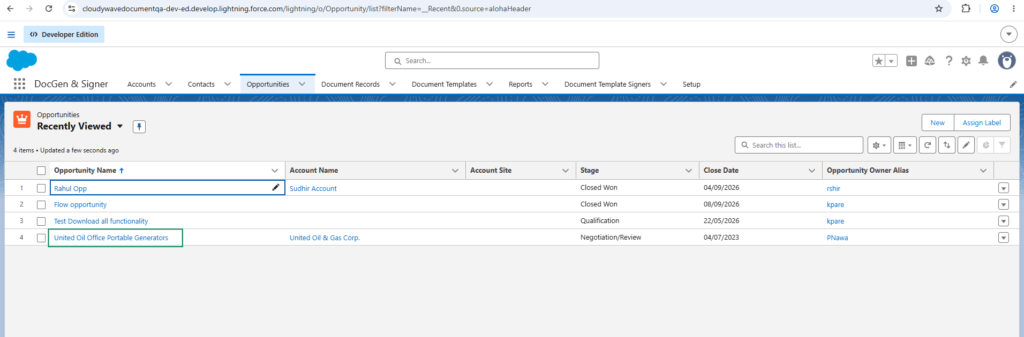
Example: Open an Opportunity record.
- Click Generate Document.
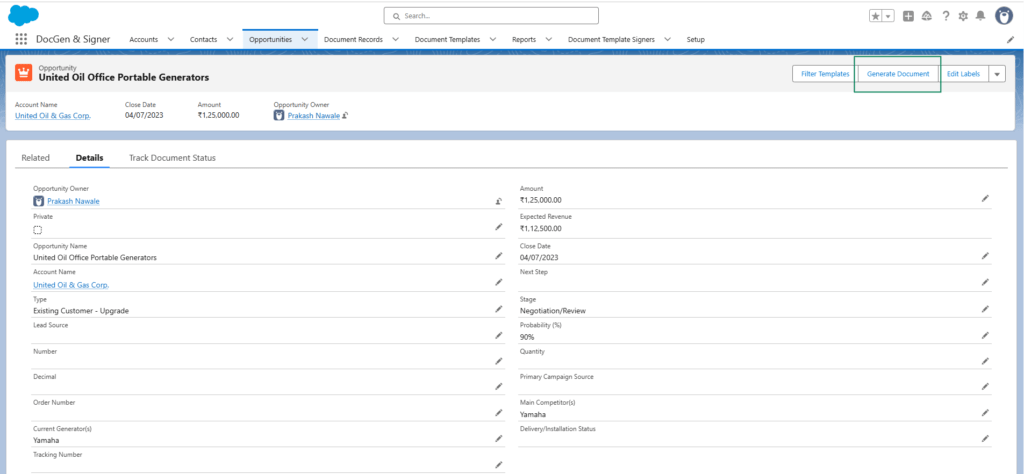
- Click the Download All toggle.
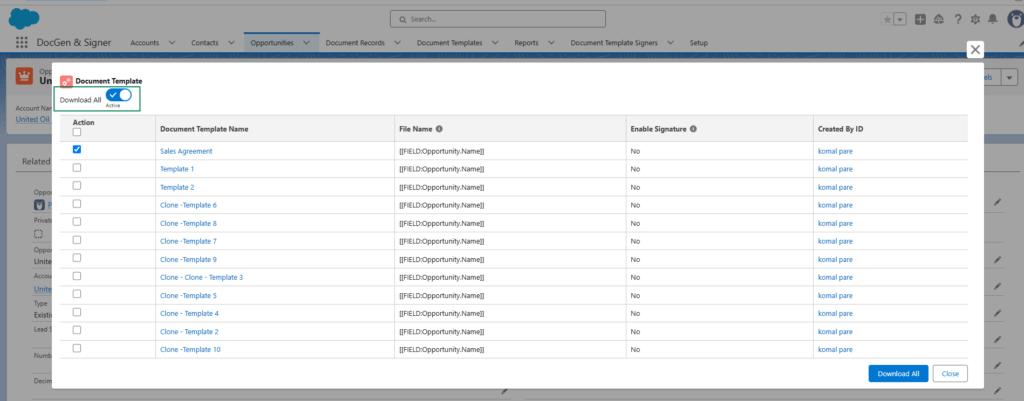
- The system displays the available documents that can be downloaded.
- Document templates configured with Default Select For Download All are selected automatically.
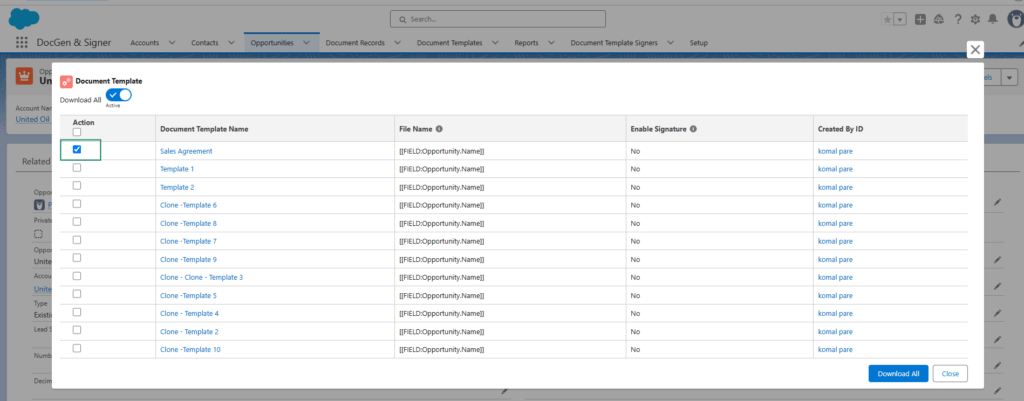
- Review the list of documents.
- Select or deselect documents as required.
- Click on Download All the selected documents.
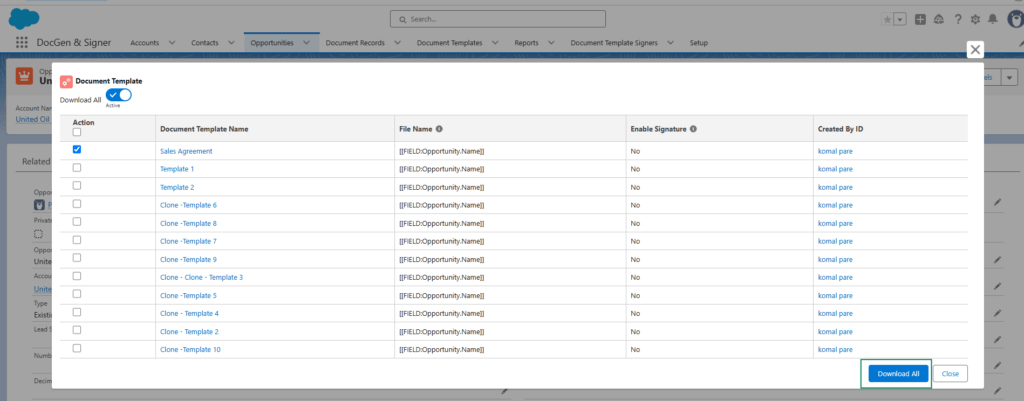
Note: The Download All functionality is supported only for document templates that do not have any signers configured.
Example
Suppose an Opportunity has the following document templates available:
| Document Template | Default Select For Download All |
| Sales Agreement -Without signers | Checked |
| Terms and Conditions-Without signers | Checked |
| Product Brochure -With signers | Not an option |
| Customer Information Sheet – With signers | Not an option |
When the user clicks Generate Document and enables the Download All toggle, Sales Agreement and Terms and Conditions will be selected automatically because the Default Select For Download All setting is enabled for those templates.
The user can then:
- Keep the automatically selected documents.
- Deselect any document that is not required.
- Select additional documents that are available for download.
The user can then download all selected documents in a single action.
Note: The document template must be activated before it can be generated or downloaded. Inactive document templates will not be available for document generation or download.
 SEE ALSO :
____👉Document Tracking