




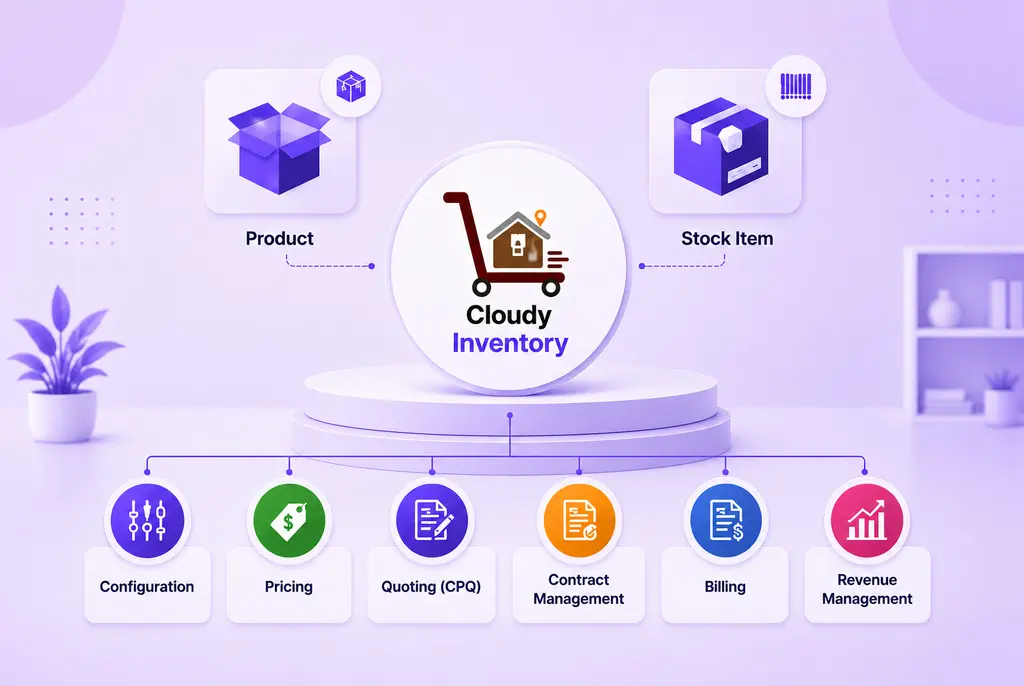


 Salesforce ERP
 ERP + CRM Platform
  Inventory Management
  Warehouse Management
  Order Management
  Vendor Management
  Logistics Management
  BOM Management
  Order Fulfillment
  Business Operations
  SaaS Platform for Operations
  Salesforce Cloud ERP Platform
  Xero
Xero
 Zoho books
 Quickbooks
 Shopify
 Acumatica
 SAP
SAP
 Odoo
Odoo
 NetSuite
 Microsoft Dynamics 365
 Sage
Sage



 Agentforce Revenue Management
 Agentforce Revenue Management + Billing
  Salesforce CPQ
 Salesforce Advanced Billing
  Migrate from CPQ to Agentforce Revenue Management
  Microsoft
 Data Cloud
 Tableau

 Production Batch Line
The Production Batch Line object represents the individual finished goods or Stock Items produced as part of a Production Batch. Each Production Batch Line stores production details such as the Product, Stock Item, planned quantity, actual quantity produced, production cost, inventory quantity, manufacturing date, expiry date, lot number, and Unit of Measure (UOM).
A single Production Batch can contain multiple Production Batch Lines, enabling manufacturers to record the production output for different Stock Items within the same manufacturing batch.
Why is it Used?
The Production Batch Line object is used to:
- Record the actual production output for each Stock Item.
- Track planned and actual production quantities.
- Capture manufacturing and expiry dates.
- Record lot numbers for product traceability.
- Calculate production costs at the item level.
- Convert production quantities into inventory quantities.
- Support inventory updates after manufacturing.
- Track production scrap quantity.
- Maintain production history for auditing and reporting.
- Improve manufacturing accuracy and inventory management.
Key Features
📦 Finished Goods Tracking
Records each finished Stock Item produced during a Production Batch.
📊 Planned vs Actual Production
Compares planned production quantities with the actual quantities produced.
🏷️ Lot & Batch Management
Supports Lot Numbers for batch traceability and inventory management.
📅 Manufacturing & Expiry Tracking
Stores manufacturing and expiry dates for quality control and inventory tracking.
💰 Production Cost Tracking
Captures Actual Unit Production Cost and calculates the Total Actual Unit Production Cost.
📦 Inventory Quantity Management
Converts production quantities into inventory quantities using the configured Conversion Factor.
📏 Unit of Measure Support
Supports Inventory UOM and Production UOM for accurate quantity conversion.
📉 Scrap Quantity Tracking
Records production losses or damaged units during manufacturing.
🔗 Stock Item Integration
Associates each production output with a specific Stock Item.
📈 Inventory Integration
Provides production information required for creating finished goods inventory.
Example Business Scenario
Scenario: Recording Production Output for Sedan Car Manufacturing
ABC Manufacturing Pvt. Ltd. creates a Production Batch for manufacturing Sedan Cars.
During production, the operator records the actual production details for the finished Stock Item.
Production Batch Details
- Product: Sedan Car
- Stock Item: Maruti Dzire
Production Batch Line Details
- Planned Quantity: 100
- Actual Quantity Produced: 98
- Scrap Quantity: 2
- Inventory Quantity: 98
- UOM: Each
- Inventory UOM: Each
- Manufactured Date: 15-Jul-2026
- Expiry Date: Not Applicable
- Lot Number: LOT-2026-001
- Actual Unit Production Cost: ₹8,50,000
System Behaviour :
- The Production Batch Line is linked to the parent Production Batch.
- Actual production quantities are recorded.
- Inventory quantity is calculated using the conversion factor.
- Scrap quantity is tracked separately.
- Production costs are calculated automatically.
- Finished goods become available for inventory processing.
Outcome:
- Manufacturing output is accurately recorded.
- Production costs are maintained.
- Finished goods are traceable using Lot Numbers.
- Inventory is updated with produced quantities.
- Manufacturing performance can be analyzed using production reports.
Best Practices
- Create Production Batch Lines only after creating the parent Production Batch.
- Verify the Product and Stock Item before recording production quantities.
- Record accurate Planned Quantity and Actual Quantity Produced.
- Maintain correct Manufactured Date and Lot Number for traceability.
- Enter Actual Unit Production Cost to ensure accurate production costing.
- Record Scrap Quantity to measure manufacturing efficiency.
- Verify Inventory Quantity before completing production.
- Use the appropriate UOM and Inventory UOM for quantity conversion.
- Review Production Batch Line details before completing the Production Batch.
- Regularly audit Production Batch Lines to ensure accurate inventory and manufacturing records.