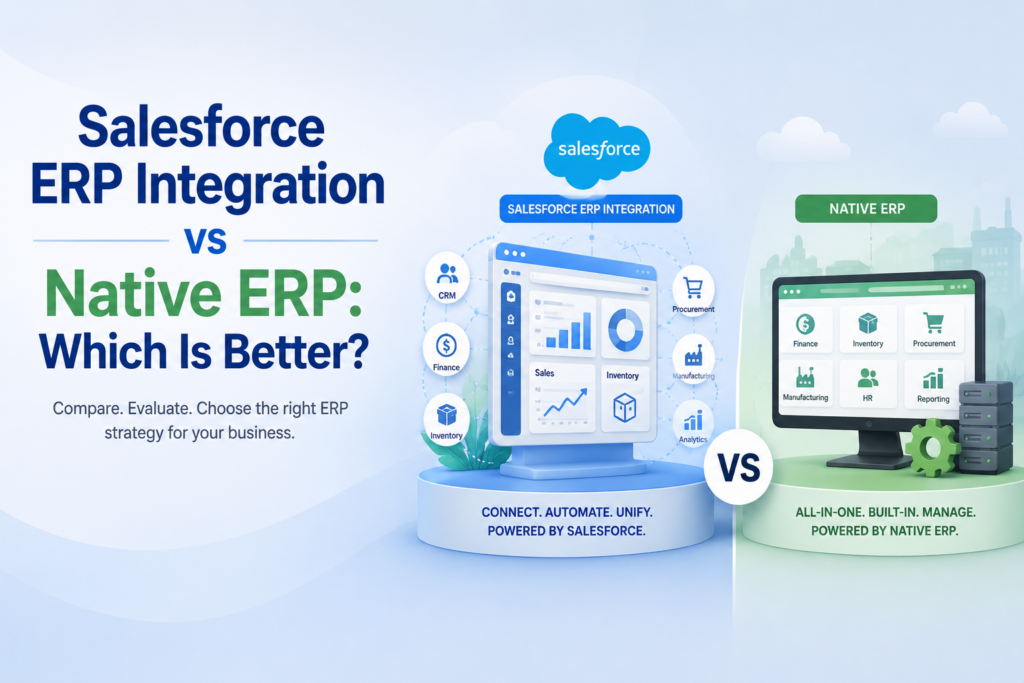
Your sales team closes a deal in Salesforce, but finance still can’t see the order, the warehouse doesn’t know to pick it, and three days later a customer calls asking where their shipment is. That gap between systems is the single most expensive problem in modern operations, and it sits at the heart of the Salesforce ERP integration vs native ERP debate.
Choosing wrong is costly. Industry research consistently shows that the ERP implementation failure rate is commonly estimated to be between 55% and 75%, and 74% of companies report having experienced at least one failed ERP project. The architecture you pick, whether you bolt an ERP onto Salesforce or run operations natively inside it, shapes your odds of landing in the winning minority.
This guide breaks down both models so you can decide with confidence.
What We Actually Mean by Each Model
Before comparing, let’s define the two paths clearly, because the Salesforce ERP integration vs native ERP question hinges on where your data lives.
Salesforce ERP Integration
In this model, Salesforce runs your front office (CRM, sales, service) while a separate ERP, think SAP, NetSuite, Microsoft Dynamics, or Oracle, runs the back office. The two are connected with middleware or custom APIs so data flows between them.
This is the most common Salesforce-to-ERP setup. As one integration provider notes, one of the most common use cases of Salesforce integration is enterprise resource planning (ERP) software integration, allowing teams to place orders directly in the ERP and see order status, shipments, invoices, and payments inside the CRM.
Native ERP on Salesforce
Here, your ERP functionality, inventory, order management, billing, warehouse, and accounting, is built directly on the Salesforce platform itself. There is no second system to sync. CRM and ERP share one database, one security model, and one user interface.
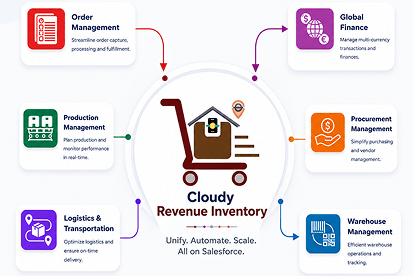
This is the model that products like Cloudy Business Ops 360 represent: a 100% Salesforce-native operations suite where every module shares a single source of truth.
The Core Trade-Off: Connection vs Consolidation
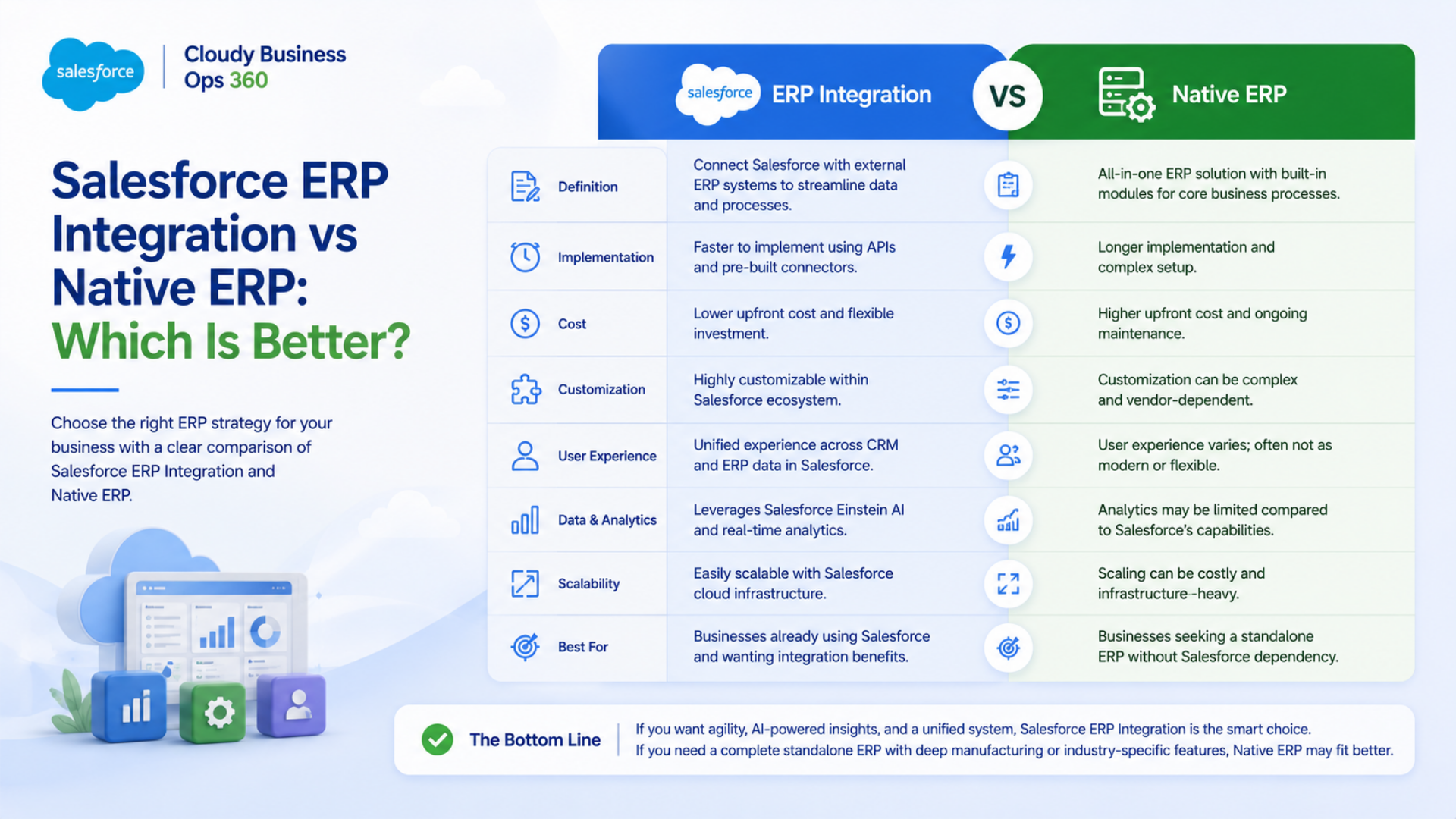
The entire Salesforce ERP integration vs native ERP comparison comes down to one tension. Integration connects best-of-breed tools you may already own. Native consolidation eliminates the connection problem altogether by keeping everything in one place.
Each approach wins on different fronts. Let’s look at the evidence.
Head-to-Head Comparison
| Factor | Salesforce ERP Integration | Native ERP on Salesforce |
|---|
| Data source | Two databases kept in sync | Single source of truth |
| Real-time accuracy | Depends on sync frequency | Always current |
| Upfront cost | High (middleware + ERP licenses) | Lower (one platform) |
| Implementation time | 8 weeks to 12+ months | Faster (pre-built modules) |
| Maintenance | Ongoing connector upkeep | Minimal |
| Best-of-breed flexibility | High | Moderate |
| Scalability | Strong but complex | Strong and simple |
| Failure risk | Higher (more moving parts) | Lower |
Where Salesforce ERP Integration Wins
Integration is not the weaker option, it is the right one in specific situations.
You Already Own a Powerful ERP
If you’ve invested years and millions in SAP or Oracle, ripping it out is rarely sensible. Connecting it to Salesforce protects that investment while modernizing the customer-facing layer.
You Need Deep, Specialized Back-Office Power
Heavy manufacturing, complex multi-entity finance, and highly regulated industries often demand ERP capabilities that go beyond what a CRM-native app provides. A dedicated ERP plus integration gives you that depth.
Proven ROI With the Right Middleware
When done well, integration pays off. Forrester research cited by integration specialists found that an API-led approach using MuleSoft delivered 426% ROI over three years, with companies delivering integration projects 3 to 5 times faster. In one documented case, integrating Salesforce with an ERP reduced manual order entry times by 40%.
The Cost and Complexity Caveat
The catch is real. A single core integration project using MuleSoft can run $75K to $300K or more depending on complexity, number of endpoints, and data volume. You also inherit permanent maintenance: every ERP upgrade, API change, or new field risks breaking the sync.
Where Native ERP on Salesforce Wins
Native ERP solves the problem that integration only manages: the gap between systems.
One Source of Truth, Zero Sync Lag
With integration, data updates happen on delay, workflows break, and customer-facing teams lose visibility into what’s actually happening behind the scenes. A native ERP removes that risk entirely. When sales, inventory, and finance share one record, there is nothing to reconcile.
Lower Total Cost of Ownership
You eliminate middleware fees, second-platform licensing, and connector maintenance. You also reduce the “app sprawl” problem, where multiple Salesforce apps for core operations drive up licensing costs and integration overhead.
Faster, Lower-Risk Rollouts
Remember that majority failure rate. Many failures trace back to integration complexity and data quality. Gartner-aligned analysis notes that only about 30% of ERP projects are completed on time and within budget. A native platform with pre-built modules removes the riskiest variable, the cross-system connection, which structurally improves your odds.
Native Speed and Security
Because the data never leaves Salesforce, you inherit Salesforce’s security, compliance, and scalability automatically, with no external systems to harden or audit separately.
How to Choose: A Practical Decision Framework
Use these questions to settle the Salesforce ERP integration vs native ERP decision for your business.
- Do you already run a mature, irreplaceable ERP? If yes, lean integration. If no, native is usually simpler and cheaper.
- How real-time does your operation need to be? Order-to-cash businesses (retail, distribution, eCommerce) benefit hugely from native real-time data.
- What is your tolerance for maintenance? Integration is a long-term commitment to keeping connectors alive.
- What’s your budget and timeline? Native typically wins on both upfront cost and speed to value.
- How specialized are your back-office needs? Extremely complex manufacturing may still justify a dedicated ERP plus integration.
The Future Need: Why Native Is Gaining Ground
The market is shifting toward consolidation. The reasons that make integration painful, sync lag, maintenance cost, and failure risk, are exactly the reasons businesses increasingly look at native platforms first.
This is where Cloudy Business Ops 360 fits the conversation. Built entirely on Salesforce, it bundles nine operational modules, including Sales and CPQ, Order Management, Inventory, Warehouse, Logistics, Billing and Finance, and Manufacturing, into a single source of truth, with native connectors to Xero, QuickBooks, and Zoho Books for accounting.
For businesses that move products and want ERP power without a second platform, this native model directly answers the trade-offs above:
- No sync gap: quote, order, inventory check, and invoice all live in one system.
- Lower license cost: consolidating apps tackles the app-sprawl problem head-on.
- Faster value: pre-built, ready-to-use dashboards instead of months of custom integration.
As more organizations weigh Salesforce ERP integration vs native ERP, a native suite like this represents the “future need” for teams that prioritize speed, accuracy, and a single platform over stitching together legacy tools.
Lorem ipsum dolor sit amet, consectetur adipiscing elit. Ut elit tellus, luctus nec ullamcorper mattis, pulvinar dapibus leo.a
Key Takeaways
- The Salesforce ERP integration vs native ERP choice is fundamentally about connecting systems versus consolidating them.
- Integration is best when you own a powerful ERP, need specialized back-office depth, and can fund ongoing maintenance.
- Native ERP on Salesforce wins on cost, speed, real-time accuracy, and lower failure risk.
- With 74% of companies reporting at least one failed ERP project, reducing moving parts is a smart way to improve your odds.
- For product-based businesses wanting ERP capability without a second platform, a native suite such as Cloudy Business Ops 360 is increasingly the forward-looking choice.
There is no universal winner, only the right fit for your data, budget, and growth plans. Map your priorities to the framework above, and the answer for your business becomes clear.





 Salesforce ERP
 ERP + CRM Platform
  Inventory Management
  Warehouse Management
  Order Management
  Vendor Management
  Logistics Management
  BOM Management
  Order Fulfillment
  Business Operations
  SaaS Platform for Operations
  Salesforce Cloud ERP Platform
  Xero
Xero
 Zoho books
 Quickbooks
 Shopify
 Acumatica
 SAP
SAP
 Odoo
Odoo
 NetSuite
 Microsoft Dynamics 365
 Sage
Sage


 Agentforce Revenue Management
 Agentforce Revenue Management + Billing
  Salesforce CPQ
 Salesforce Advanced Billing
  Migrate from CPQ to ARM
  Managed Services
 Salesforce Implementation
 Revenue Cloud Implementation
 MuleSoft Integration
 Microsoft
 Data Cloud
 Tableau

 ·
June 8, 2026
·
7 min read
·
June 8, 2026
·
7 min read

Vance Pham, 17 August, 2026
Your latest blog post was truly inspiring and had some great insights. I can’t wait to see what else you have in store.