If you’re evaluating Salesforce document generation and e-signature tools in 2026, you’ve probably already noticed that the pricing doesn’t always tell the whole story.
Some tools look affordable until you realize Salesforce integration costs extra — locked behind a higher plan you didn’t budget for. Others generate PDFs but stop there, leaving you to buy a second tool just to collect a signature. Enterprise-grade platforms offer impressive feature lists but charge €60 per user per month for capabilities most Salesforce teams will never use. And a few charge per envelope, meaning your costs quietly balloon every time your team sends one more contract than expected.
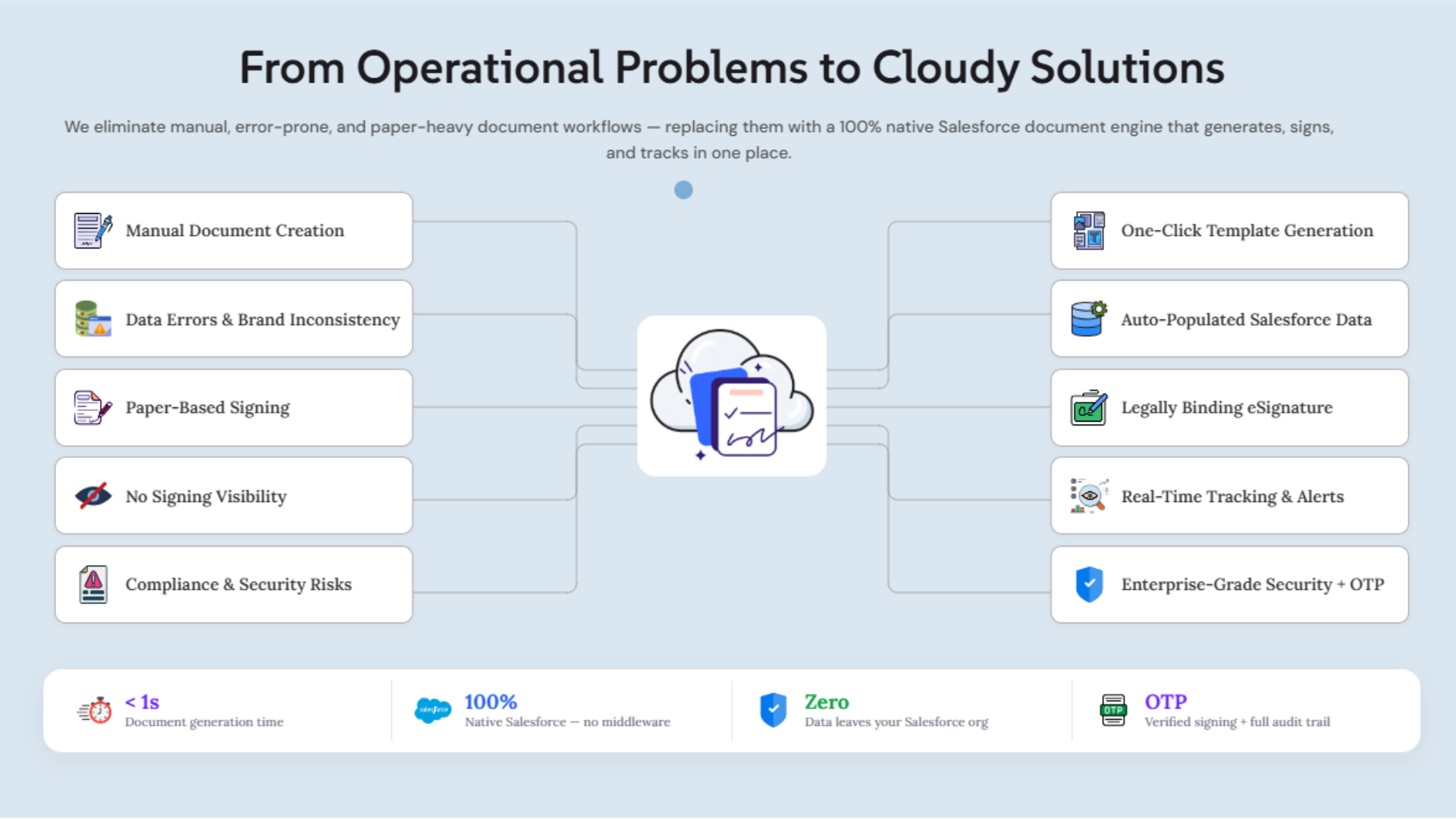
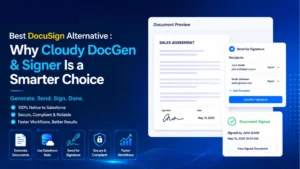
We built Cloudy DocGen & Signer because Salesforce teams deserve something better: a single, Salesforce-native application that handles document generation and e-signature together — no second subscription, no system-switching, no hidden costs — with a free plan to get started.
This guide breaks down exactly how Cloudy DocGen & Signer compares to the alternatives, plan by plan and tier by tier. We’ve done the research so you don’t have to.
Key Takeaways
- Cloudy DocGen & Signer is the only solution in this comparison that combines document generation and e-signature in a single Salesforce-native application with a free starting tier.
- PandaDoc requires a separate subscription and only unlocks Salesforce integration at $49/user/month — that’s on top of your Salesforce license, for a tool that still lives outside Salesforce.
- Adobe Acrobat Sign is an e-signature tool only. Salesforce teams still need a separate document generation solution alongside it.
- Advanced PDF Generator is a capable, low-cost PDF tool but has no built-in e-signature — the workflow stops at the PDF.
- Documill Negotiate starts at €60/user/month and is designed for enterprise contract lifecycle management. It’s powerful, but most Salesforce teams don’t need that level of complexity — or that price tag.
- Cloudy DocGen & Signer wins on value at every pricing tier for Salesforce teams that need document generation and e-signature in one place.
How We Sourced Our Data
Our team reviewed publicly available pricing pages, Salesforce AppExchange listings, product documentation, and feature comparisons for every solution in this guide. Where pricing was not publicly listed, we have noted that pricing is available on request.
We evaluated each tool against the criteria that matter most to Salesforce teams:
- Salesforce architecture (native vs. integration-based)
- Document generation capabilities
- E-signature capabilities
- Template management and flexibility
- Workflow and signing automation
- Real-time tracking and visibility
- Pricing transparency and total cost of ownership
- Free tier availability
- AppExchange presence and rating
About the Solutions Compared – Salesforce document generation
Before diving into the pricing tiers, here is a quick orientation on what each solution actually is:
Cloudy DocGen & Signer — A Salesforce-native document generation and e-signature application, available on the Salesforce AppExchange. Built and supported by Cloudy Wave, a Salesforce OEM and ISV partner.
Advanced PDF Generator — A Salesforce-native PDF generation tool (by SyntaxifyIT). Focused on creating and attaching PDFs to Salesforce records. No built-in e-signature.
PandaDoc — A standalone document creation and e-signature platform with a Salesforce integration. Not built inside Salesforce — it connects to Salesforce via integration on Business and Enterprise plans. Priced as a separate subscription.
Adobe Acrobat Sign — Adobe’s e-signature solution, available on the Salesforce AppExchange. Focused on electronic signatures; requires a separate tool for document generation. Requires an Adobe subscription external to Salesforce.
Documill Negotiate — An enterprise contract lifecycle management platform from Documill (Finland), built on Salesforce. Includes document generation, real-time collaboration, redlining, and embedded e-signatures meeting eIDAS standards.
Quick Pricing Overview
Before we go tier by tier, here’s the landscape at a glance:
| Solution | Free Tier | Starting Paid Price | Salesforce-Native | Doc Gen + eSign in One |
|---|
| Cloudy DocGen & Signer | ✅ Yes (3 templates) | $15/user/month | ✅ Yes | ✅ Yes |
| Advanced PDF Generator | ✅ Yes (2 templates) | €7/user/month | ✅ Yes | ❌ No eSign |
| PandaDoc | ✅ Yes (5 docs/month) | $19/user/month* | ❌ No (integration) | ✅ Yes |
| Adobe Acrobat Sign | ❌ No | Paid (contact Adobe) | ❌ No (integration) | ❌ No doc gen |
| Documill Negotiate | ❌ No (trial only) | €60/user/month | ✅ Yes | ✅ Yes |
*PandaDoc’s Salesforce integration requires the Business plan at $49/user/month (annual). The Starter plan at $19/month has no Salesforce integration.
Free Plans: Free Plans: $0/Month
/Month
The free tier is where most Salesforce teams start evaluating. It’s your proof-of-concept — the chance to see whether a tool can actually do what you need before asking anyone to approve a budget.
Here’s who offers a free plan with no time limit:
| Solution | Free plan available? |
|---|
| Cloudy DocGen & Signer | ✅ Yes — no time limit |
| Advanced PDF Generator | ✅ Yes — no time limit |
| PandaDoc | ✅ Yes — but outside Salesforce |
| Adobe Acrobat Sign | ❌ No |
| Documill Negotiate | ❌ No (30-day trial only) |
Cloudy DocGen & Signer (Salesforce document generation) – Starter Plan: Cloudy DocGen & Signer (Salesforce document generation) – Starter Plan: $0
The Cloudy DocGen & Signer Starter Plan is available on the Salesforce AppExchange at no cost, with no time limit.
Here’s what that actually means in practice: your team can install it today, map Salesforce fields to a document template using the drag-and-drop canvas, generate a fully populated contract or proposal directly from a Salesforce record, and send it out for electronic signature — all in the same session, without leaving Salesforce, without a credit card, and without scheduling a sales call.
Three templates are included. For many teams — one contract template, one proposal, one onboarding form — that’s enough to run a real workflow. Priority support is included.
This is not a locked-down trial designed to frustrate you into upgrading. It’s a working plan.
How Competitors Compare at the Free Tier
| Feature | Cloudy DocGen & Signer | Advanced PDF Generator | PandaDoc |
|---|
| Monthly cost | $0 | $0 | $0 |
| Salesforce-native | ✅ Yes | ✅ Yes | ❌ No |
| Document generation | ✅ Yes | ✅ Yes (PDF only) | Limited |
| Built-in e-signature | ✅ Yes | ❌ No | ✅ Yes |
| Salesforce data auto-fill | ✅ Yes (native) | ✅ Yes (native) | Via integration |
| Templates included | 3 | 2 | Up to 5 |
| Signing order control | ✅ Yes | ❌ N/A | ✅ Yes |
| Document lifecycle tracking | ✅ Yes | Limited | ✅ Yes |
| AppExchange listing | ✅ Yes (4.9/5) | ✅ Yes | ❌ No |
| Support | Priority | Standard | Help center |
| Stay inside Salesforce | ✅ Yes | ✅ Yes | ❌ No |
Our pick at the free tier: Cloudy DocGen & Signer. It’s the only free option that gives Salesforce teams document generation and e-signature inside Salesforce with no time limit. That’s not a minor difference — it’s the entire workflow.
Advanced PDF Generator is a solid free choice if you genuinely only need PDFs and have no signing requirement. But the moment a document needs a signature, you need another tool. That other tool costs more money and adds another step outside Salesforce.
PandaDoc’s Free eSign plan lets you send 5 documents per month, but it lives entirely outside Salesforce. Your team logs into PandaDoc, uploads a document, fills in fields manually (Salesforce data doesn’t auto-populate on the free plan), and collects a signature there. Every document completed outside Salesforce is a document you then have to remember to attach back to the right Salesforce record. For teams where Salesforce is the system of record, that’s a workflow problem, not a minor inconvenience.
Team / Entry-Level Paid Plans
These plans are for small teams that have graduated from the free tier and need more templates, more users, or more workflow capabilities. This is where most growing Salesforce teams land first.
| Solution | Plan Name | Price |
|---|
| Cloudy DocGen & Signer | Team Plan (1–5 users) | $15/user/month |
| Advanced PDF Generator | Pro | €7/user/month |
| PandaDoc | Starter | $35/user/month (or $19 annual) |
| Adobe Acrobat Sign | Paid (various) | Contact Adobe |
| Documill Negotiate | Default Plan | €60/user/month |
Cloudy DocGen & Signer — Team Plan: /user/month (1–5 users)
The Team Plan removes the 3-template limit and opens up unlimited document templates. Everything else — the full drag-and-drop builder, Salesforce field mapping, dynamic merge fields, related list injection, multi-signer workflows, signing order control, role-based permissions, automated email notifications, document lifecycle tracking, mobile-friendly signing — is included.
For a 5-person team, that is $75/month total. One tool. Everything inside Salesforce. No second subscription.
This is the plan that covers the complete document workflow for a small sales team generating proposals and contracts, a finance team sending invoices for approval, or an onboarding team dispatching welcome packs to new customers.
How Competitors Compare at This Tier -Salesforce document generation
| Feature | Cloudy DocGen & Signer (Team) | Advanced PDF Generator (Pro) | PandaDoc (Starter) |
|---|
| Monthly cost (per user) | $15 | ~€7 | $35 (or $19 annual) |
| Salesforce-native | ✅ Yes | ✅ Yes | ❌ No |
| Document generation | ✅ Yes | ✅ Yes (PDF) | ✅ Yes |
| Built-in e-signature | ✅ Yes | ❌ No | ✅ Yes |
| Salesforce integration at this tier | ✅ Included (native) | ✅ Included (native) | ❌ Not available |
| Unlimited templates | ✅ Yes | ✅ Yes | ❌ Up to 5 only |
| Dynamic related list support | ✅ Yes | Limited | ❌ No |
| Signing order + roles | ✅ Yes | ❌ N/A | ✅ Yes |
| Flow / Apex automation | ✅ Yes | ✅ Yes (Pro) | ❌ No |
| Document lifecycle tracking | ✅ Yes | Limited | ✅ Yes |
| All-in-one (no 2nd tool needed) | ✅ Yes | ❌ No (needs eSign tool) | ✅ Yes (but external) |
Our pick at the entry paid tier: Cloudy DocGen & Signer — and it isn’t close.
Advanced PDF Generator’s Pro plan is genuinely the lowest-cost option in this comparison at roughly €7/user/month. If your only requirement is PDF generation with Salesforce data, it’s worth considering. But let’s be direct: a PDF without a signature is half a workflow. Your team still needs to download the file, email it, wait for a signature, and manually attach the signed version back to Salesforce. That cost in time and friction far exceeds the €7 you saved.
PandaDoc Starter costs $35/month per user (or $19 on an annual contract), offers document creation and e-signature, but — crucially — does not include Salesforce integration at this tier. You are paying for a document tool that cannot connect to your CRM without upgrading to the Business plan ($49/month annual). For Salesforce teams, that makes the Starter plan essentially unusable as a Salesforce document workflow tool. The effective cost to get PandaDoc working with Salesforce is $49/user/month, not $19.
Cloudy DocGen & Signer at $15/user/month includes the full Salesforce-native integration, document generation, and e-signature. There is no tier below this where Salesforce connectivity suddenly gets locked away.
Business / Mid-Market Plans
Business-tier plans are where most Salesforce sales teams, RevOps functions, finance departments, and customer success teams operate. Document volumes are real, workflows are defined, and the tool needs to scale without the per-envelope anxiety.
| Solution | Plan Name | Price |
|---|
| Cloudy DocGen & Signer | Business Plan (6–20 users) | $14/user/month |
| Advanced PDF Generator | Pro (same plan) | €7/user/month |
| PandaDoc | Business | $65/user/month (or $49 annual) |
| Adobe Acrobat Sign | Paid | Contact Adobe |
| Documill Negotiate | Default Plan | €60/user/month |
Cloudy DocGen & Signer — Business Plan: /user/month (6–20 users)
Something worth noticing: as your team grows from 1–5 users to 6–20, the per-user price actually drops from $15 to $14. That’s a rare move in SaaS pricing, and it reflects how we think about teams scaling their document workflows — growth should reward you, not penalize you.
The Business Plan includes everything from the Team Plan — unlimited templates, full e-signature workflow, multi-signer routing, document lifecycle tracking, Salesforce-native architecture — now scaled across a larger team.
For a team of 10 Salesforce users, the total cost is $140/month. That covers document generation and e-signature for the entire team, across every document type they work with, inside Salesforce. No extra seats on a second platform. No integration subscription. No envelope overage charges.
How Competitors Compare at the Business Tier
| Feature | Cloudy DocGen & Signer (Business) | PandaDoc (Business) | Documill Negotiate | Adobe Acrobat Sign |
|---|
| Monthly cost (per user, annual) | $14 | $49 | €60 | Contact Adobe |
| Salesforce-native | ✅ Yes | ❌ No | ✅ Yes | ❌ No |
| Salesforce integration included | ✅ Yes (native) | ✅ Yes (at this tier) | ✅ Yes (native) | ✅ Requires external sub |
| Document generation | ✅ Yes | ✅ Yes | ✅ Yes | ❌ No |
| Built-in e-signature | ✅ Yes | ✅ Yes | ✅ Yes (eIDAS) | ✅ Yes |
| Both doc gen + eSign in one tool | ✅ Yes | ✅ Yes | ✅ Yes | ❌ No |
| Unlimited templates | ✅ Yes | ✅ Yes | ✅ Yes | N/A |
| Contract redlining | Not listed | ✅ Yes | ✅ Yes | ❌ No |
| Real-time collaboration | Not listed | ✅ Yes | ✅ Yes | ❌ No |
| Document lifecycle tracking | ✅ Yes (in Salesforce) | ✅ Yes (in PandaDoc) | ✅ Yes (audit trail) | Limited |
| ISO 27001 / TISAX certified | Not listed | ❌ No | ✅ Yes | Not listed |
| Approval workflows | ✅ Yes | ✅ Yes | ✅ Yes | Limited |
| Mobile-friendly signing | ✅ Yes | ✅ Yes | ✅ Yes | ✅ Yes |
| AppExchange rating | 4.9 / 5 | ❌ Not on AppExchange | 5 / 5 (3 reviews) | Paid listing |
| Extra subscription required | ❌ None | ✅ Yes (PandaDoc) | ❌ None | ✅ Yes (Adobe) |
Our pick at the business tier: Cloudy DocGen & Signer — by a significant margin for Salesforce teams.
Let’s put the numbers in real terms. A team of 10 using PandaDoc Business pays $490/month — and that’s just for PandaDoc. They still have their Salesforce license costs on top of that. And they still leave Salesforce every time they need to create a document.
The same team of 10 using Cloudy DocGen & Signer pays $140/month, stays inside Salesforce, and has document generation and e-signature fully connected to their CRM data and records.
That’s a $350/month difference for the same core workflow. Annualized, that’s $4,200 — for a 10-person team.
Documill Negotiate at €60/user/month would cost that same team €600/month (~$660/month). Documill is a serious platform with serious capabilities — contract redlining, multi-party external collaboration, SharePoint storage, ISO 27001 and TISAX certification. If your organization is in a regulated industry and needs those specific capabilities, that cost may be fully justified. But if you need to generate a contract from an opportunity and get it signed by a customer, you’re paying five times more than necessary.
Adobe Acrobat Sign doesn’t generate documents. At the business tier, this is a fundamental gap. Teams using Adobe Sign with Salesforce are typically creating documents in Word or another tool, uploading them to Adobe Sign, sending for signature, downloading the completed PDF, and re-attaching it to Salesforce. Every step in that chain is manual and error-prone. Cloudy DocGen & Signer eliminates that entire chain.
Enterprise Plans
Enterprise plans are where requirements get custom and pricing gets a phone call. Nearly every vendor at this level builds the plan around your specific team size, use cases, and compliance needs.
| Solution | Enterprise Available | Pricing | Notes |
|---|
| Cloudy DocGen & Signer | ✅ Yes | Contact Cloudy Wave | Built for 20+ users |
| PandaDoc | ✅ Yes | Custom quote | External platform; Salesforce integration optional |
| Adobe Acrobat Sign | ✅ Yes | Custom quote | E-signature only; stricter standards |
| Documill Negotiate | ✅ Yes | Custom quote | Full CLM; eIDAS/TISAX |
| Advanced PDF Generator | ❌ No separate tier | Pro plan | Single-tier paid plan |
Cloudy DocGen & Signer — Enterprise Plan
For organizations with 20+ Salesforce users running document workflows at scale — across multiple teams, document types, and business units — the Enterprise Plan is built around your specific requirements.
The Salesforce-native architecture that makes the lower plans work well becomes even more valuable at enterprise scale: no external platform to manage, no integration to maintain, no data leaving Salesforce to generate or sign a document. For large Salesforce orgs where governance, data residency, and workflow consistency matter, keeping everything inside the platform is a genuine advantage.
Contact the Cloudy Wave team to discuss your requirements and get a custom quote.
Other Vendors at the Enterprise Level
PandaDoc Enterprise is a fully featured document platform — unlimited sending, HIPAA compliance, CPQ, SSO, custom user roles, approval workflows, and more. It is a comprehensive standalone platform, and for organizations that want a document hub outside Salesforce that integrates back in, it delivers. But Salesforce integration remains an optional add-on at the enterprise level, not a default. And you are still managing two platforms.
Adobe Acrobat Sign Enterprise steps up to more rigorous digital signature standards that meet regulated industry requirements. For organizations with strict e-signature compliance obligations, this is a credible option. The document generation gap still exists.
Documill Negotiate Enterprise is the most feature-complete enterprise offering in this comparison for complex contract workflows — multi-party collaboration, redlining, audit trails, version control, multilingual generation, and formal compliance certifications. It is purpose-built for enterprise legal and procurement teams in manufacturing, government, and financial services. For those environments, it earns its price. For most Salesforce enterprise teams, it is more than required.
The Hidden Cost Nobody Talks About: System-Switching
Every time a Salesforce user leaves the CRM to generate a document in another tool, something happens that never shows up in a pricing comparison: time gets wasted, context gets lost, and errors get introduced.
A sales rep who needs to leave Salesforce, open PandaDoc, check that customer data pulled correctly, create the document, send for signature, and then come back to Salesforce to log what happened — that’s 5–10 minutes per document that doesn’t have to happen.
For a team creating 50 documents a month, that’s 4–8 hours a month in tool-switching overhead. Per person.
Tools like PandaDoc and Adobe Acrobat Sign have Salesforce integrations, but integration is not the same as native. Data still moves between systems. The user still changes context. Sync still has to work. And when an integration breaks — which integrations do — documents stop until someone fixes it.
Cloudy DocGen & Signer lives inside Salesforce. The button to generate a document is on the Salesforce record. The signed document is stored on that same record. No switching. No context loss. No integration to maintain.
That’s not a feature. That’s a fundamentally different workflow.
Side-by-Side: Cloudy DocGen & Signer vs. Every Competitor
| Criteria |
Cloudy DocGen & Signer |
PandaDoc |
Adobe Acrobat Sign |
Documill Negotiate |
Advanced PDF Generator |
| Salesforce-native |
✅ Yes |
❌ No |
❌ No |
✅ Yes |
✅ Yes |
| Document generation |
✅ Yes |
✅ Yes |
❌ No |
✅ Yes |
✅ Yes (PDF) |
| Built-in e-signature |
✅ Yes |
✅ Yes |
✅ Yes |
✅ Yes |
❌ No |
| Both in one tool |
✅ Yes |
✅ Yes |
❌ No |
✅ Yes |
❌ No |
| No extra subscription needed |
✅ Yes |
❌ No |
❌ No |
✅ Yes |
✅ Yes |
| Free tier available |
✅ Yes |
✅ Yes (outside SF) |
❌ No |
❌ No |
✅ Yes |
| Salesforce integration free plan |
✅ Yes |
❌ No |
❌ No |
✅ Yes |
✅ Yes |
| Starting paid price |
$15/user/month |
$49/user/mo (for SF) |
Contact Adobe |
€60/user/month |
€7/user/month |
| AppExchange rating |
4.9 / 5 |
❌ Not listed |
Paid listing |
5 / 5 (3 reviews) |
5 / 5 (22 reviews) |
| Fast go-live |
✅ Weeks |
Varies |
Varies |
Longer implementation |
✅ Fast |
| Best for |
Salesforce teams of all sizes |
Cross-platform doc hubs |
e-Sign compliance |
Enterprise CLM |
PDF generation only |
Which Plan Is Right for Your Team?
Individual user or micro team evaluating document automation in Salesforce → Cloudy DocGen & Signer Starter (Free). Three templates, full e-signature, fully inside Salesforce. Nothing to lose.
1–5 person team needing more templates and a production document workflow → Cloudy DocGen & Signer Team Plan — $15/user/month. Unlimited templates, full workflow. $75/month for a 5-person team that never needs to leave Salesforce to generate or sign a document.
6–20 person team in sales, RevOps, finance, or customer success → Cloudy DocGen & Signer Business Plan — $14/user/month. The per-user cost drops as the team grows. $140/month for a 10-person team covering the entire document lifecycle inside Salesforce.
Team that only needs PDF generation (no e-signature required) → Advanced PDF Generator Pro at ~€7/user/month is the most affordable Salesforce-native PDF option. Just be clear-eyed that signatures will require a second tool.
Organization with complex contract negotiation, redlining, and regulatory compliance needs → Documill Negotiate at €60/user/month is designed for that use case. The price is real, but so is the feature set for enterprise legal and procurement teams.
Team that wants a document platform spanning multiple external systems —not just Salesforce → PandaDoc Business ($49/user/month annually) is worth considering if your document workflows genuinely live across multiple platforms. Understand that you are paying for a second platform and Salesforce data still moves outside your CRM.
For 95% of Salesforce sales, operations, finance, and customer success teams, Cloudy DocGen & Signer is the answer — at the right price, in the right place, with the right workflow.
Stop Paying for Two Tools to Do One Job
If your Salesforce team is currently using one tool to generate documents and another to collect signatures — or paying for a platform that lives outside Salesforce and requires a separate login, a separate subscription, and a separate workflow — it’s worth doing the math.
Cloudy DocGen & Signer was built to close that gap. One Salesforce-native application. Document generation and e-signature in the same workflow. A free plan to start with no commitment. Paid plans from $14–$15/user/month when your team is ready to scale.
You can install it right now from the AppExchange and have your first document generated from a Salesforce record before the end of the day.







 Salesforce ERP
 ERP + CRM Platform
  Inventory Management
  Warehouse Management
  Order Management
  Vendor Management
  Logistics Management
  BOM Management
  Order Fulfillment
  Business Operations
  SaaS Platform for Operations
  Salesforce Cloud ERP Platform
  Xero
Xero
 Zoho books
 Quickbooks
 Shopify
 Acumatica
 SAP
SAP
 Odoo
Odoo
 NetSuite
 Microsoft Dynamics 365
 Sage
Sage



 Agentforce Revenue Management
 Agentforce Revenue Management + Billing
  Salesforce CPQ
 Salesforce Advanced Billing
  Migrate from CPQ to ARM
  Managed Services
 Salesforce Implementation
 Revenue Cloud Implementation
 ServiceNow Consulting Services
 Zoho CRM implementation
 MuleSoft Integration
 Workato Integration
 Microsoft
 Data Cloud
 Tableau

 ·
August 27, 2026
·
16 min read
·
August 27, 2026
·
16 min read
555329, 06 September, 2026
So,I like it