If you’re evaluating Salesforce ERP and Salesforce CPQ at the same time, you’re not alone — and you’re probably a little confused about where one system ends and the other begins. That confusion is common, and it’s expensive when it leads to the wrong purchase.
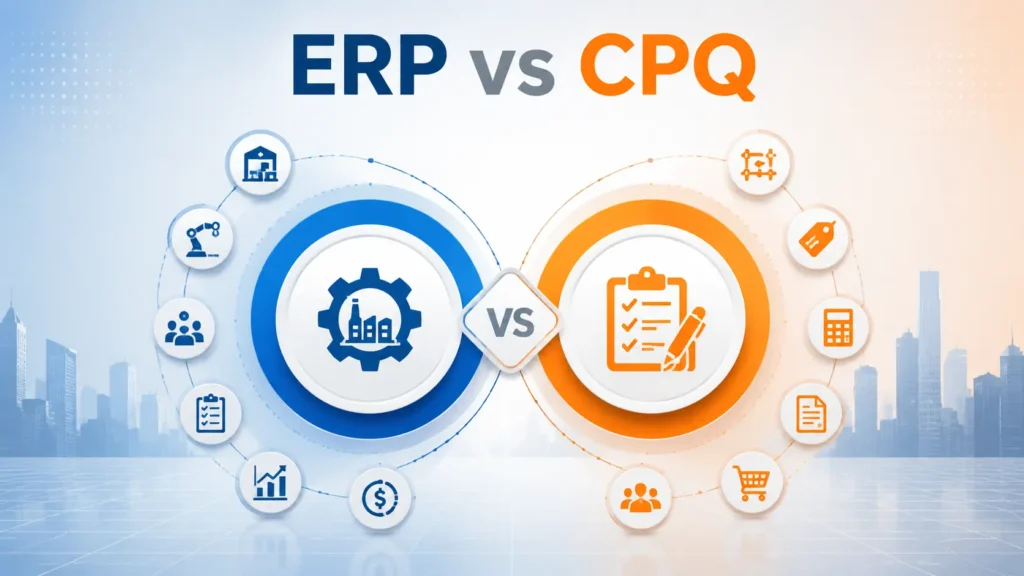
Quick answer: CPQ (Configure, Price, Quote) automates the sales-side work of configuring products, pricing deals, and generating quotes. ERP (Enterprise Resource Planning) runs the operational side of the business — inventory, manufacturing, procurement, order fulfillment, and financials. They solve different problems. Most product-based businesses that sell configurable products, hold inventory, or manufacture goods eventually need both ERP and CPQ, connected as a single Quote to Cash process.
This guide breaks down what each system does, where the real differences are, when one is enough, when you need both, and how to decide — using comparison tables, a decision framework, and real-world workflow examples.
What You’ll Learn
- What ERP and CPQ actually do (and don’t do)
- A 15-point ERP vs CPQ comparison table
- Why CPQ can’t replace ERP, and why ERP can’t replace CPQ
- How ERP and CPQ work together inside the Salesforce ecosystem
- A practical decision framework and checklist
- Common mistakes businesses make when choosing between them
What is ERP?
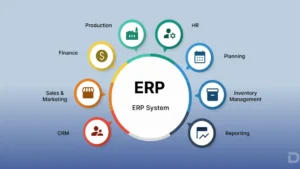
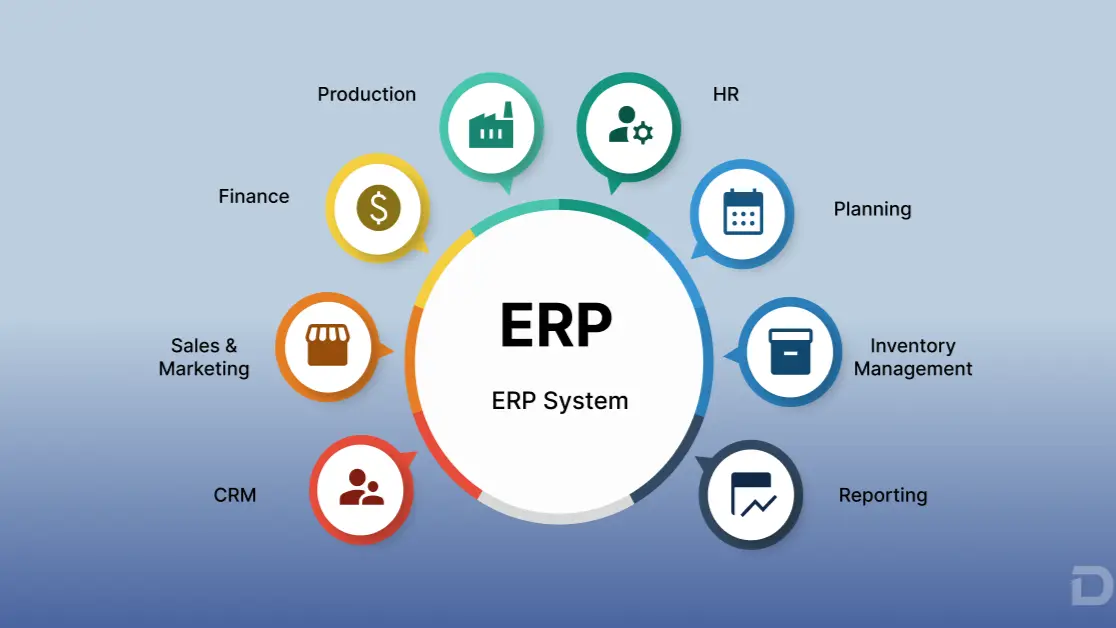
ERP (Enterprise Resource Planning) software is the system of record that manages a company’s core operations — inventory, manufacturing, procurement, warehouse activity, order fulfillment, and financial management — in one connected platform.
Where a CRM manages relationships and a CPQ tool manages quotes, an ERP platform manages the physical and financial reality of running the business: what’s in stock, what’s being built, what’s owed to suppliers, and what the books say at the end of the month.
Core ERP Modules
- Inventory Management — real-time stock levels, tracking across locations, reorder points
- Manufacturing — bills of materials, work orders, production scheduling
- Procurement — purchase orders, vendor management, supplier tracking
- Warehouse Management — picking, packing, shipping, and receiving
- Order Management — converting sales orders into fulfillment
- Financial Management — general ledger, accounts payable/receivable, revenue recognition
- Reporting and Analytics — operational and financial dashboards
Benefits of ERP Software
- A single source of truth across finance, operations, and supply chain
- Reduced manual data entry between disconnected systems
- Better demand planning and inventory accuracy
- Faster financial close and more accurate reporting
- Improved supplier and procurement management
According to research from Gartner, organizations that unify operational and financial data on a single platform consistently report faster decision-making and fewer reconciliation errors than those running fragmented point solutions. McKinsey has similarly noted that digitized, integrated operations are a recurring differentiator between high- and low-performing supply chains.
Key takeaway: ERP is the operational backbone of the business. If your company holds inventory, manufactures products, or manages complex fulfillment, ERP is not optional — it’s foundational.
What is CPQ?
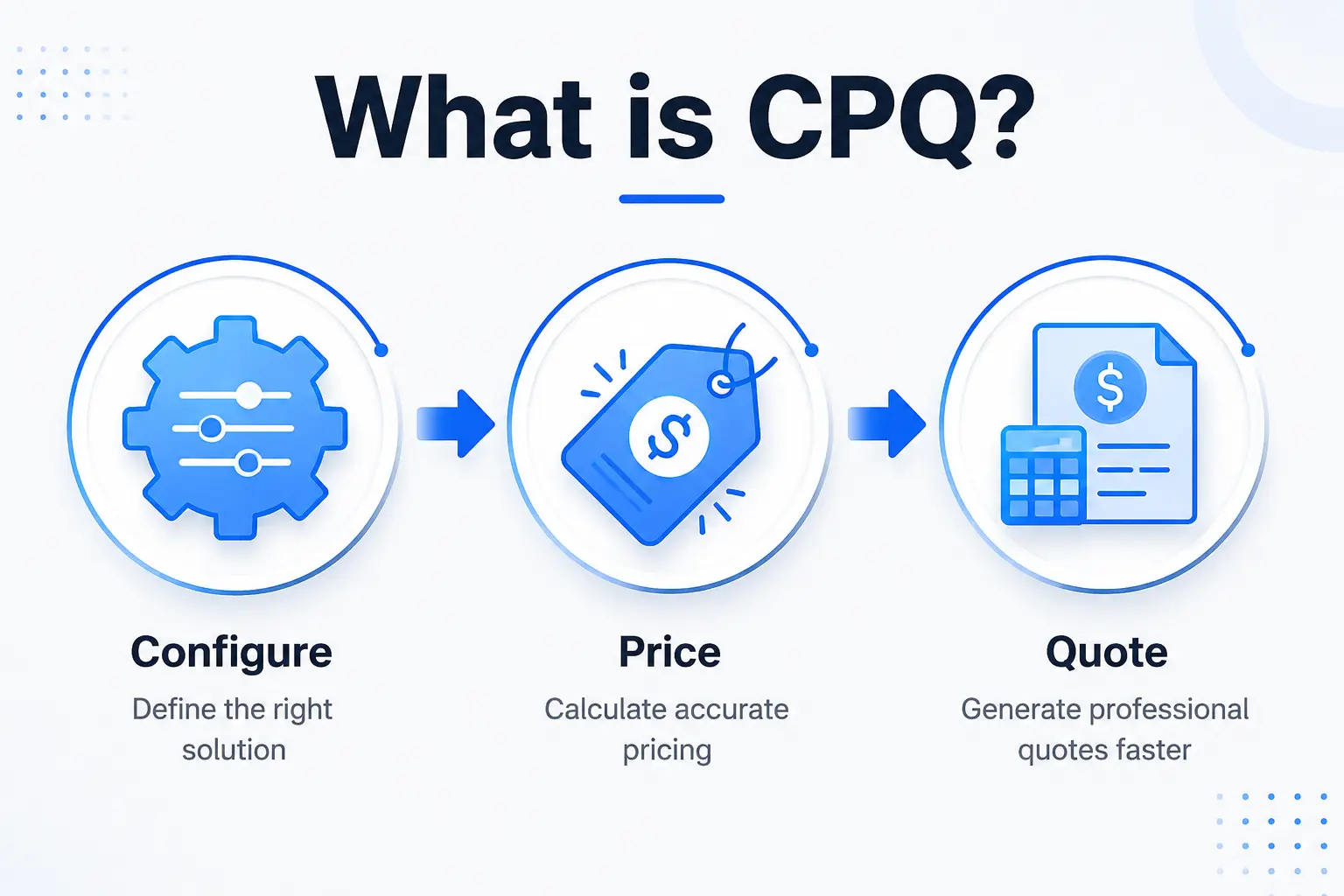
CPQ (Configure, Price, Quote) software automates the process of turning a customer’s requirements into an accurate, approved sales quote — especially for businesses with configurable products, tiered pricing, bundles, or complex discount rules.
The Three Functions of CPQ
- Configure — Guide sales reps through valid product configurations, preventing incompatible or invalid combinations.
- Price — Apply pricing rules, discount tiers, volume pricing, and approval thresholds automatically.
- Quote — Generate accurate, branded, contract-ready quotes and proposals in minutes instead of days.
CPQ Automation and Approval Workflows
Modern Salesforce CPQ deployments also include quote approval workflow automation, routing discounts or non-standard terms to the right manager automatically, and contract lifecycle features that hand off into billing.
Benefits of CPQ Software
- Faster, more accurate quotes with fewer pricing errors
- Consistent pricing and discounting across the sales team
- Shorter sales cycles through guided selling
- Reduced reliance on sales engineering for standard configurations
- Better visibility into deal approvals and margin protection
Salesforce and Salesforce Ben have both documented how CPQ shortens quote turnaround time and reduces quoting errors for B2B sales teams — but neither source frames CPQ as an operations or fulfillment tool. That’s an important distinction, and it’s where most of the ERP-vs-CPQ confusion starts.
Key takeaway: CPQ is a sales acceleration tool. It makes the front end of the deal faster and more accurate — but it stops at the signed quote.
ERP vs CPQ: The Core Differences
Here’s where the two systems genuinely diverge. The table below compares ERP and CPQ across 15 dimensions that matter most to buyers.
| Comparison Point | ERP | CPQ |
|---|
| Primary Purpose | Runs day-to-day business operations and finance | Automates quote creation and pricing accuracy |
| Primary Users | Operations, finance, warehouse, manufacturing, procurement teams | Sales reps, sales ops, deal desk |
| Inventory | Tracks real-time stock, locations, and availability | No native inventory visibility |
| Manufacturing | Manages BOMs, work orders, production scheduling | Not applicable |
| Finance | Handles GL, AP/AR, revenue recognition, financial reporting | No financial ledger functionality |
| CRM Relationship | Consumes CRM data; doesn’t manage customer relationships | Built on top of CRM (e.g., Sales Cloud) |
| Pricing Logic | Cost-based pricing tied to procurement/production | Rule-based, tiered, discount and bundle pricing |
| Quote Generation | Not a core function | Core function |
| Procurement | Manages purchase orders and supplier relationships | Not applicable |
| Warehouse Operations | Picking, packing, shipping, receiving | Not applicable |
| Reporting Scope | Operational + financial reporting | Sales and quoting analytics |
| Automation Focus | Fulfillment, procurement, production workflows | Pricing, approvals, quote workflows |
| Typical Integrations | CRM, CPQ, billing, shipping, banking systems | CRM, billing, e-signature, ERP |
| Implementation Complexity | Higher — touches operations, finance, and supply chain | Moderate — primarily a sales-side deployment |
| Scalability Driver | Order volume, SKU complexity, manufacturing throughput | Deal volume, pricing complexity, product configurability |
Quick Comparison Summary
- ERP answers: “Can we build it, ship it, and get paid for it?”
- CPQ answers: “Can we quote it accurately and get it approved fast?”
Can CPQ Replace ERP?
No — CPQ cannot replace ERP. CPQ has no concept of physical inventory, manufacturing capacity, procurement, or financial ledgers. It stops at the quote and, at most, hands off into billing.
Real scenario: A sales rep uses Salesforce CPQ to configure and quote a custom equipment order. The customer signs. Without ERP, there is no system that knows whether the components are in stock, whether a purchase order needs to go to a supplier, or when the item can realistically ship. The order lives in a spreadsheet or gets manually re-keyed into accounting software — introducing delays and data entry errors.
CPQ was never designed to answer operational questions like:
- Do we have enough raw material to fulfill this order?
- Which warehouse should ship it from?
- What’s our actual production lead time this month?
- How does this order affect our revenue recognition schedule?
Those are ERP questions.
Can ERP Replace CPQ?
No — ERP cannot replace CPQ either, at least not effectively. Most ERP systems have basic quoting or order-entry screens, but they lack the guided configuration logic, approval automation, and pricing sophistication that CPQ provides for complex, configurable, or high-volume sales motions.
Limitations of using ERP alone for quoting:
- No guided selling for complex product configurations
- Limited discount governance and approval routing
- Slower quote turnaround for reps working outside the CRM
- Poor visibility into pipeline and deal-stage pricing
- Higher risk of quoting invalid or incompatible product combinations
For simple, low-SKU businesses with standard pricing, ERP-based quoting may be sufficient. For any business with configurable products, tiered contracts, or a sales team quoting dozens of deals a week, this becomes a bottleneck fast.
Why Businesses Need Both
ERP and CPQ solve two different halves of the same process: Quote to Cash. CPQ owns the front half (configure, price, quote, approve). ERP owns the back half (fulfill, manufacture, ship, invoice, recognize revenue).
The Quote-to-Cash Flow, Described
- Configure & Quote (CPQ) — Sales rep builds a quote using guided configuration and approved pricing.
- Approve (CPQ) — Discount and terms route through automated approval workflows.
- Order Creation (CPQ → ERP handoff) — The signed quote becomes a sales order.
- Inventory Check (ERP) — Stock is reserved or a manufacturing order is triggered.
- Procurement (ERP) — Purchase orders are generated for any missing components.
- Production (ERP) — Manufacturing schedules the build against the BOM.
- Fulfillment (ERP) — Warehouse picks, packs, and ships the order.
- Billing (ERP/Revenue Cloud Billing) — Invoice is generated against the fulfilled order.
- Revenue Recognition (ERP) — Finance recognizes revenue per accounting policy.
- Analytics (ERP + CRM) — Dashboards update across sales and operations.
Break this chain anywhere — say, by having CPQ but no connected ERP — and step 4 onward becomes manual, error-prone, and slow. This is precisely the gap that causes order delays, inventory mismatches, and revenue leakage in growing companies.
Forrester and IDC have both published research indicating that disconnected quote-to-fulfillment processes are among the most common sources of order errors and delayed revenue recognition in mid-market and enterprise product companie
Salesforce ERP + Salesforce CPQ: The Ecosystem View
Inside the Salesforce ecosystem, the logic of “ERP and CPQ” becomes even clearer, because Salesforce already provides much of the connective tissue.
- Sales Cloud manages the CRM layer — leads, opportunities, accounts.
- Salesforce CPQ (often paired with Revenue Cloud) manages configuration, pricing, and quoting.
- Revenue Cloud Billing manages invoicing and subscription billing.
- Salesforce ERP (a Salesforce-native operations layer) manages inventory, manufacturing, procurement, warehouse, and finance.
- Analytics (Tableau, CRM Analytics) sits across all of it for unified reporting.
The strategic advantage of choosing a Salesforce Native ERP rather than a bolt-on, non-native system is that it lives on the same platform, data model, and security framework as CPQ and CRM — instead of requiring brittle middleware to keep systems in sync. Salesforce Architects and Salesforce’s own platform documentation consistently recommend native, platform-aligned integration patterns over point-to-point integrations for exactly this reason: fewer sync failures, one identity and permissions model, and a single audit trail from quote to cash.
Why Cloudy Business Ops 360 Complements Salesforce CPQ
This is where Cloudy Business Ops 360 fits into the picture — not as a replacement for Salesforce CPQ, but as the Salesforce-native ERP that picks up exactly where CPQ leaves off.
Cloudy Business Ops 360 is built natively on the Salesforce platform, which means it shares the same object model, security architecture, and reporting layer as Salesforce CRM and Salesforce CPQ. That native alignment is what allows a signed CPQ quote to flow directly into operational execution without custom integration work.
What Cloudy Business Ops 360 covers:
- Inventory — real-time, multi-location stock visibility tied directly to CRM and CPQ data
- Warehouse — pick, pack, ship workflows built on Salesforce’s native automation tools
- Manufacturing — bills of materials, work orders, and production scheduling
- Procurement — supplier management and automated purchase order generation
- Finance — general ledger, AP/AR, and financial reporting inside the same platform as your CRM
- Order Management — automatic order creation from approved CPQ quotes
- Sales & Purchasing Alignment — shared data between what’s sold and what’s sourced
- Reporting & Dashboards — native Salesforce reporting across sales, operations, and finance
- Automation — Flow-based automation for approvals, reorder points, and exception handling
- Security — inherits Salesforce’s enterprise-grade permissions and sharing model
- Scalability — built to handle growing SKU counts, order volume, and multi-entity operations
- AI Readiness and Agentforce Compatibility — structured, native data that AI agents can act on reliably, since Agentforce and other AI tools perform best on clean, unified platform data rather than data scattered across disconnected systems
For a business already running Salesforce CRM and Salesforce CPQ, the practical benefit of a native ERP layer like Cloudy Business Ops 360 is straightforward: one platform, one login, one data model, and one audit trail from the first quote to the final invoice — rather than reconciling data across three or four disconnected systems.
(Learn more on the Cloudy Business Ops 360 homepage, or explore the Salesforce ERP, Inventory Management, Manufacturing Management, Warehouse Management, and Procurement Management pages for module-specific detail.)
Real Business Example: Quote to Cash in Action
Consider a mid-sized industrial equipment manufacturer running Salesforce CPQ and Cloudy Business Ops 360 together:
- A sales rep uses Salesforce CPQ to configure a custom order and generate a quote.
- The customer accepts and signs electronically.
- The order flows automatically into Cloudy Business Ops 360.
- Inventory is checked; available components are reserved.
- Missing components trigger automatically generated purchase orders.
- Manufacturing is scheduled against the bill of materials.
- Once built, the shipment is tracked through warehouse fulfillment.
- An invoice is generated automatically against the fulfilled order, often via Revenue Cloud Billing.
- Payment is received and reconciled against the invoice.
- Analytics dashboards update in real time across sales, operations, and finance.
No re-keying data. No spreadsheet handoffs. No disconnected systems to reconcile at month-end — because CPQ and ERP are operating as one connected Quote to Cash process rather than two separate tools.
Benefits of Using ERP + CPQ Together
| # | Benefit |
|---|
| 1 | Eliminates manual re-entry between sales and operations |
| 2 | Reduces order errors caused by disconnected systems |
| 3 | Speeds up order-to-fulfillment time |
| 4 | Improves inventory accuracy at the point of sale |
| 5 | Enables real-time available-to-promise quoting |
| 6 | Strengthens financial reporting accuracy |
| 7 | Improves cash flow through faster, accurate invoicing |
| 8 | Provides a single audit trail from quote to cash |
| 9 | Reduces reliance on custom middleware integrations |
| 10 | Improves forecasting accuracy for sales and operations |
| 11 | Reduces revenue leakage from pricing or fulfillment errors |
| 12 | Enables better demand planning across sales and supply chain |
| 13 | Supports compliant, auditable revenue recognition |
| 14 | Improves cross-team visibility (sales, ops, finance) |
| 15 | Creates a foundation for reliable AI and automation (e.g., Agentforce) |
Common Mistakes Companies Make
- Buying CPQ and assuming it will “handle everything” after the quote is signed.
- Choosing a non-native ERP that requires custom middleware to talk to Salesforce.
- Underestimating implementation scope for inventory and manufacturing data migration.
- Ignoring approval workflow design in CPQ, leading to discount governance issues.
- Failing to map the full quote-to-cash process before selecting either system.
- Treating ERP and CPQ selection as separate projects run by different teams.
- Not involving finance early, resulting in revenue recognition gaps later.
- Over-customizing CPQ pricing rules beyond what the sales team can maintain.
- Skipping a pilot or phased rollout, leading to adoption resistance.
- Neglecting reporting alignment, so sales, ops, and finance dashboards don’t agree.
Expert tip: Map your quote-to-cash workflow end-to-end before evaluating vendors. The gaps you find in that exercise will tell you whether you need CPQ, ERP, or both — and where native integration matters most.
How to Choose Between ERP, CPQ, or Both
Decision Framework
Ask these questions:
- Do we sell configurable products or use tiered/complex pricing? → You likely need CPQ.
- Do we hold inventory, manufacture goods, or manage a warehouse? → You likely need ERP.
- Do we do both? → You likely need both, connected.
Simple Decision Tree
Do you sell physical/configurable products with complex pricing?
├── No → Basic CRM + simple quoting may suffice
└── Yes
    ├── Do you hold inventory or manufacture goods?
    │   ├── No → CPQ alone may be sufficient
    │   └── Yes → You need ERP
    └── Is your sales process complex (bundles, discounts, approvals)?
        ├── No → ERP with basic order entry may suffice
        └── Yes → You need CPQ + ERP together
Decision Checklist
Three or more checked in the ERP-related items? ERP is not optional. Several checked across both categories? You’re a strong candidate for a connected ERP + CPQ approach — ideally a Salesforce Native ERP paired with Salesforce CPQ, like Cloudy Business Ops 360.
Conclusion
ERP and CPQ aren’t competing categories — they’re two halves of the same Quote to Cash process. CPQ makes sure the deal is configured, priced, and quoted correctly. ERP makes sure that deal actually gets built, shipped, invoiced, and recognized as revenue. For any business selling configurable products, holding inventory, or managing manufacturing and procurement, running both — connected, ideally on a native platform — is what closes the gap between a signed quote and a fulfilled, paid order.
If your business already runs Salesforce CRM and CPQ, a Salesforce Native ERP like Cloudy Business Ops 360 is worth evaluating as the operational layer that completes that picture — bringing inventory, manufacturing, procurement, and finance onto the same platform as your sales and quoting data. You can explore how it fits your specific quote-to-cash workflow on the Cloudy Business Ops 360 homepage or reach out via the contact page to discuss your setup.







 Salesforce ERP
 ERP + CRM Platform
  Inventory Management
  Warehouse Management
  Order Management
  Vendor Management
  Logistics Management
  BOM Management
  Order Fulfillment
  Business Operations
  SaaS Platform for Operations
  Salesforce Cloud ERP Platform
  Xero
Xero
 Zoho books
 Quickbooks
 Shopify
 Acumatica
 SAP
SAP
 Odoo
Odoo
 NetSuite
 Microsoft Dynamics 365
 Sage
Sage



 Agentforce Revenue Management
 Agentforce Revenue Management + Billing
  Salesforce CPQ
 Salesforce Advanced Billing
  Migrate from CPQ to ARM
  Managed Services
 Salesforce Implementation
 Revenue Cloud Implementation
 ServiceNow Consulting Services
 Zoho CRM implementation
 MuleSoft Integration
 Workato Integration
 Microsoft
 Data Cloud
 Tableau

 ·
July 21, 2026
·
13 min read
·
July 21, 2026
·
13 min read