DocuSign is one of the most recognized names in electronic signatures — and for good reason. It works reliably for many businesses across a wide range of use cases. But if your team lives and works inside Salesforce, relying on a separate platform for document generation and signing can introduce friction, manual steps, and data gaps that slow your workflows down.
That’s why a growing number of Salesforce-centric organizations are evaluating DocuSign alternatives that bring document creation, automation, and electronic signatures directly into the CRM they already depend on.
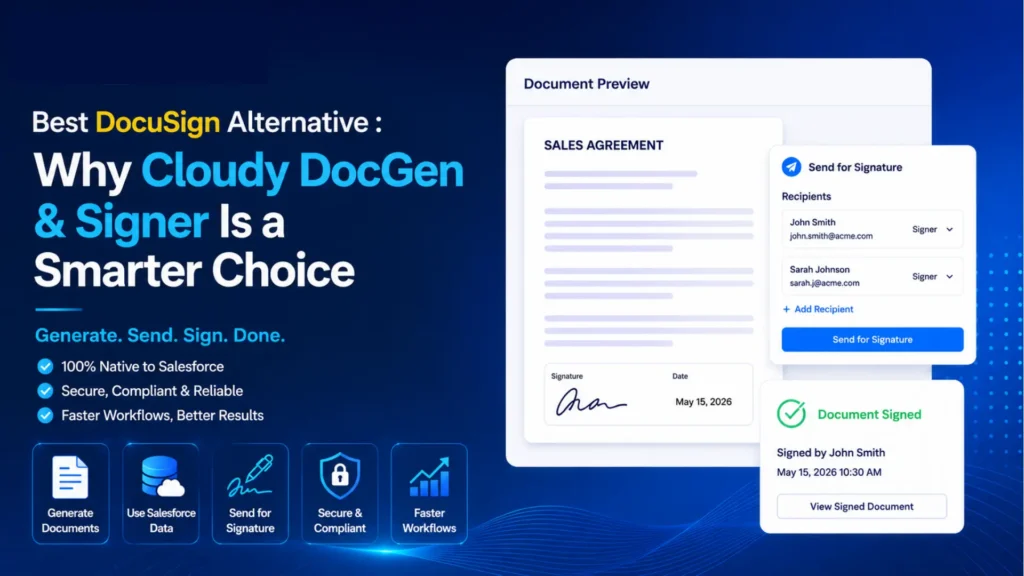
Cloudy DocGen & Signer, built by Cloudy Wave, is designed for exactly this situation. It’s a Salesforce-focused document generation and e-signature solution that allows businesses to generate data-driven documents, automate document workflows, and collect signatures — all without leaving Salesforce.
This guide explains what to look for in a DocuSign alternative, why businesses explore their options, and how Cloudy DocGen & Signer compares.
What Is a DocuSign Alternative?
A DocuSign alternative is any electronic signature or document management platform that provides similar or complementary capabilities to DocuSign. When businesses evaluate alternatives, they typically look for:
- Electronic signatures that are legally binding and secure
- Document generation from templates or CRM data
- Salesforce integration to avoid manual data entry
- Document templates for consistency across teams
- Workflow automation for approvals and routing
- Document storage and tracking for audit and compliance
- User experience that reduces friction for both senders and signers
- Scalability as business volumes grow
- Pricing that matches the scope and size of the organization
The “best” alternative depends entirely on your business workflows, your tech stack, and how deeply you rely on Salesforce.
Why Are Businesses Looking for DocuSign Alternatives?
There’s no single reason businesses explore DocuSign alternatives — but there are some common themes.
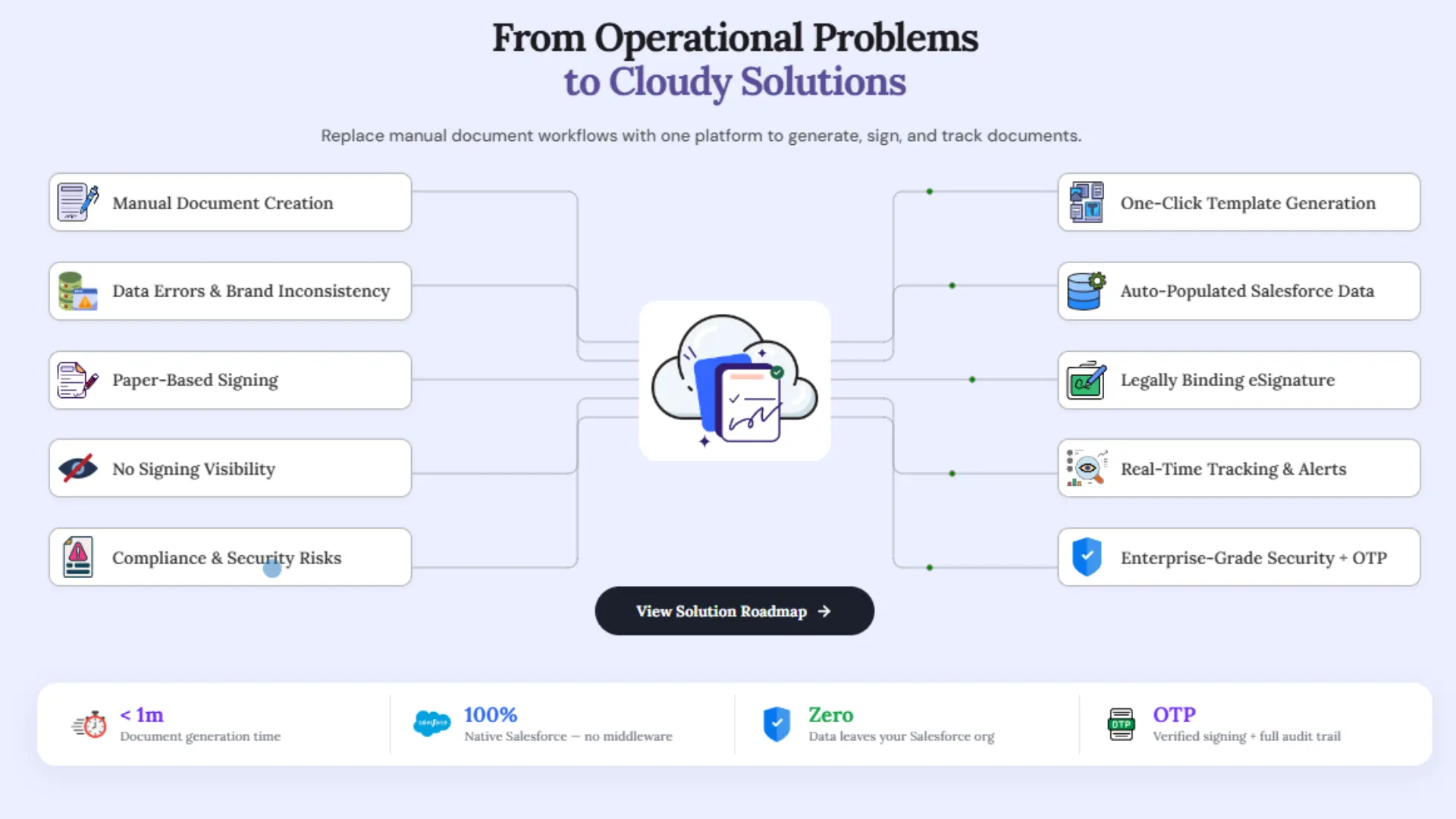
Deeper Salesforce integration. When documents need to pull data from Salesforce records — opportunities, quotes, accounts, contacts — doing that through a separate platform typically requires manual copy-paste or a custom integration. Businesses increasingly want document generation that works natively with their CRM data.
Reducing application switching. Sales reps, operations teams, and legal staff often work across multiple tools. Every time someone has to jump between Salesforce and an external document platform, there’s friction. Eliminating that context-switch can meaningfully improve productivity.
Combining document generation and signing. Many businesses use separate tools for document creation (Word, Google Docs, custom tools) and document signing. Consolidating these into a single workflow reduces steps, errors, and handoff delays.
Automating manual document processes. Creating proposals, contracts, onboarding documents, and service agreements manually is time-consuming and error-prone. Automation can replace repetitive tasks with consistent, reliable outputs.
Quote-to-contract efficiency. Sales teams need to move quickly from a won opportunity to a signed agreement. The more steps between quote approval and contract execution, the more deals risk stalling.
What Is Cloudy DocGen & Signer?
Cloudy DocGen & Signer is a Salesforce-native application developed by Cloudy Wave and available on the Salesforce AppExchange. It brings together document generation and digital signatures in a single, unified workflow inside Salesforce.
Here’s what it enables:
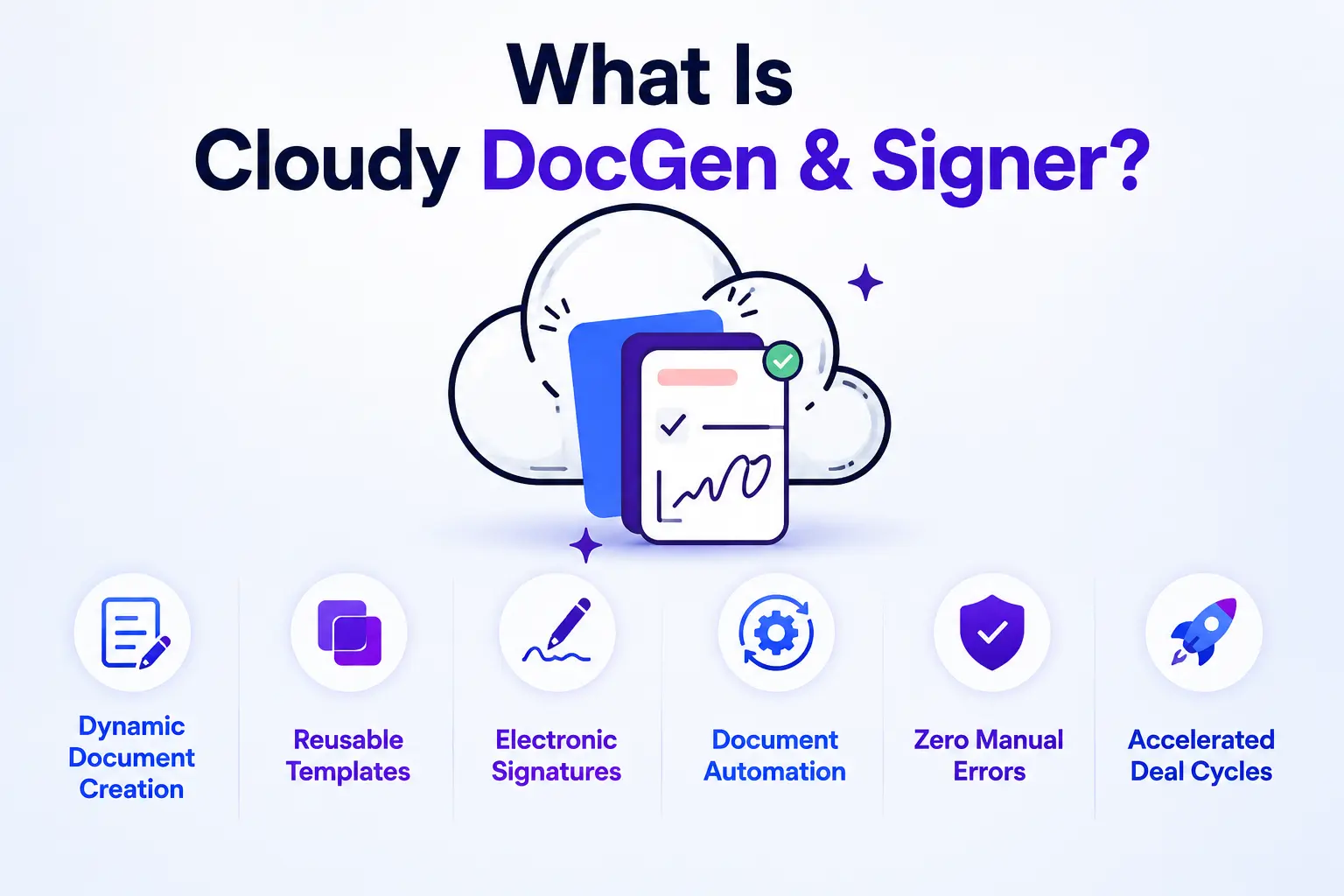
- Dynamic document creation — generate quotes, contracts, proposals, and other business documents by pulling live data directly from Salesforce records
- Reusable templates — standardize your documents so every output is consistent and accurate
- Electronic signatures — collect multi-party signatures with full compliance tracking, from any device
- Document automation — trigger document generation and signing workflows based on Salesforce events or approvals
- Zero manual errors — because data flows from Salesforce records, there’s no copy-paste risk
- Accelerated deal cycles — compress the time between proposal and signed agreement
The result is a tighter, more reliable document workflow for sales, operations, HR, legal, and customer service teams.
Cloudy DocGen & Signer vs. DocuSign
| Feature | DocuSign | Cloudy DocGen & Signer |
|---|
| Electronic signatures | Yes | Yes |
| Salesforce integration | Available via connector | Salesforce-focused, native workflow |
| Document generation | Limited native generation | Yes — data-driven from Salesforce records |
| Salesforce data-driven documents | Requires configuration | Yes — built for Salesforce data |
| Document templates | Yes | Yes |
| Document automation | Yes | Yes — triggered within Salesforce |
| Salesforce-native workflow | Integration-based | Designed around Salesforce workflows |
| Application switching | External platform | Reduced — stays within Salesforce |
| Quote-to-contract workflows | Possible with integration | Streamlined within Salesforce |
| Multi-party signing | Yes | Yes |
| Audit and compliance tracking | Yes | Yes |
Key distinction: DocuSign is a broadly capable e-signature platform that integrates with many systems, including Salesforce. Cloudy DocGen & Signer is purpose-built to keep document generation and signing within a Salesforce-centered workflow. For teams that spend most of their working day in Salesforce, this distinction matters.
Key Benefits of Using Cloudy DocGen & Signer as a DocuSign Alternative
Salesforce-Centered Document Generation
Rather than drafting documents manually or exporting data and formatting it in Word, Cloudy DocGen & Signer pulls live data from your Salesforce records — accounts, contacts, opportunities, quotes, products — to generate accurate, professional documents automatically. This eliminates the copy-paste work that creates errors and slows teams down.
Electronic Signatures in the Same Workflow
Once a document is generated, it can be sent for signature immediately — no switching platforms, no re-uploading, no separate login. Signers can complete the process from any device, and you get full tracking and audit history back in Salesforce.
Automated Document Workflows
Automation can trigger document creation and routing based on Salesforce events — an opportunity reaching a certain stage, a quote being approved, a contract needing renewal. This replaces manual touchpoints with reliable, repeatable processes across sales, HR, legal, and operations.
Reusable Templates
Standardized templates ensure your documents look professional and consistent every time. Teams don’t need to rebuild documents from scratch — they select the right template, Salesforce populates the data, and the document is ready to send.
Reduce Application Switching
Every tool your team uses outside Salesforce is another place to log in, another context to manage, and another opportunity for data to fall out of sync. Keeping document generation and signing within Salesforce reduces that overhead — especially for sales and operations teams who work primarily in CRM.
Improve Quote-to-Contract Processes
The journey from a won opportunity to a fully executed agreement has many potential friction points. With document generation and e-signatures connected to Salesforce data, that journey becomes: opportunity won → document generated → sent for approval → signed → stored in Salesforce. Fewer manual steps mean faster close times and better customer experience.
Use Cases for Cloudy DocGen & Signer
1. Sales Proposals
Sales teams can generate professional proposals from opportunity and product data in Salesforce, eliminating time spent formatting and copying information. Proposals can be sent for review and signature in the same workflow.
2. Quotes and Agreements
Quotes built in Salesforce CPQ or manually can be converted into formatted quote documents and sent for customer sign-off without leaving the platform.
3. Contracts
Contract creation is often a bottleneck — especially when legal needs to review before signing. Document automation with approval routing built into Salesforce can compress this cycle significantly.
4. Order Documents
For businesses managing sales orders in Salesforce, order confirmation documents can be generated and sent automatically when an order is created or confirmed.
5. Customer Onboarding
New customer agreements, terms of service, and onboarding documentation can be generated from account data and sent for signature as part of a structured onboarding workflow.
6. HR Documents
Employment agreements, offer letters, and policy acknowledgments can be templated and generated from HR-related Salesforce data, then routed for the appropriate signatures.
7. Approval Documents
Internal approval workflows — for discounts, pricing exceptions, or budget requests — can be documented, routed, and signed within Salesforce, creating a clear audit trail.
8. Service Agreements
Service businesses can generate scopes of work, service agreements, and renewals from Salesforce account and contract data, then send them for signature without manual reformatting.
Cloudy DocGen & Signer for Salesforce Sales Teams
For sales teams, document delays between opportunity close and signed agreement are a recurring frustration. Cloudy DocGen & Signer is built to compress that gap.
The workflow looks like this:
Opportunity Won → Quote Approved → Document Generated → Sent for Signature → Agreement Executed → Stored in Salesforce
Every step connects back to Salesforce data. There’s no need to export, reformat, or manually enter information that already exists in your CRM. Sales reps spend less time on admin and more time on the next opportunity. Managers get visibility into where every document stands, directly from the CRM.
This kind of connected workflow is difficult to achieve when document generation and signing live in a separate platform.
How to Choose the Best DocuSign Alternative
When evaluating any DocuSign alternative, use this checklist:
- Salesforce integration depth — Is it native or connector-based? How much configuration is required?
- Document generation capability — Can it create documents from CRM data automatically?
- E-signature features — Multi-party signing, mobile-friendly, audit trail, compliance?
- Templates — Can you build and reuse standardized document templates?
- Automation — Can document workflows be triggered by Salesforce events?
- Security — Is data encrypted in transit and at rest?
- Compliance — Does it meet applicable electronic signature legal standards in your jurisdiction? (Refer to your legal counsel for jurisdiction-specific requirements.)
- Scalability — Will it handle your document volumes as you grow?
- Ease of implementation — How long does onboarding take? What support is available?
- User experience — Is it intuitive for both internal users and external signers?
- Pricing — Does it fit your budget relative to the value delivered?
- Support — Who do you call when something needs attention?
Cloudy DocGen & Signer is worth evaluating against these criteria, particularly for Salesforce-first organizations.
Note on legal compliance: Electronic signature legality varies by country and document type. Always consult your legal team and refer to applicable regulations, such as the U.S. ESIGN Act or the EU eIDAS Regulation, when implementing e-signature workflows.
Is Cloudy DocGen & Signer the Right DocuSign Alternative for Your Business?
Cloudy DocGen & Signer is likely the strongest fit for organizations that:
- Already run their sales, operations, or customer management on Salesforce
- Generate a significant volume of proposals, contracts, quotes, or agreements
- Want to reduce manual document creation and data entry
- Need electronic signatures as part of a larger Salesforce workflow
- Want document generation and signing in one connected system
- Are looking to automate their document processes without heavy custom development
If your document workflows are already well-separated from Salesforce and working smoothly, the status quo may be fine. But if document creation and signing create regular friction for your Salesforce teams, Cloudy DocGen & Signer is worth a closer look.
Conclusion
DocuSign is a capable platform, and it serves many businesses well. But for organizations that are deeply invested in Salesforce — where deals, accounts, quotes, and contracts all live — a DocuSign alternative that brings document generation and signing into the Salesforce workflow can remove significant friction from day-to-day operations.
Cloudy DocGen & Signer offers a Salesforce-focused approach: generate documents from your CRM data, automate document workflows, and collect electronic signatures — all without leaving the platform your team already knows.
If you’re evaluating a DocuSign alternative for Salesforce, Cloudy DocGen & Signer is worth exploring. Visit Cloudy Wave to learn more, request a demo, or find the listing on the Salesforce AppExchange.







 Salesforce ERP
 ERP + CRM Platform
  Inventory Management
  Warehouse Management
  Order Management
  Vendor Management
  Logistics Management
  BOM Management
  Order Fulfillment
  Business Operations
  SaaS Platform for Operations
  Salesforce Cloud ERP Platform
  Xero
Xero
 Zoho books
 Quickbooks
 Shopify
 Acumatica
 SAP
SAP
 Odoo
Odoo
 NetSuite
 Microsoft Dynamics 365
 Sage
Sage



 Agentforce Revenue Management
 Agentforce Revenue Management + Billing
  Salesforce CPQ
 Salesforce Advanced Billing
  Migrate from CPQ to ARM
  Managed Services
 Salesforce Implementation
 Revenue Cloud Implementation
 ServiceNow Consulting Services
 Zoho CRM implementation
 MuleSoft Integration
 Workato Integration
 Microsoft
 Data Cloud
 Tableau

 ·
September 4, 2026
·
9 min read
·
September 4, 2026
·
9 min read
www.555329.com, 15 September, 2026
An Engaging Blog Post