


 Salesforce ERP
 ERP + CRM Platform
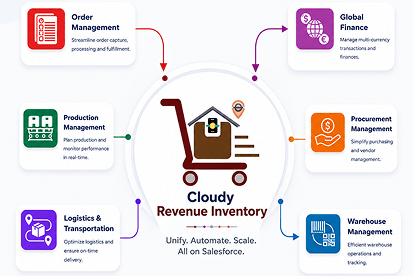
  Inventory Management
  Warehouse Management
  Order Management
  Vendor Management
  Logistics Management
  BOM Management
  Order Fulfillment
  Business Operations
  SaaS Platform for Operations
  Salesforce Cloud ERP Platform
  Xero
Xero
 Zoho books
 Quickbooks
 Shopify
 Acumatica
 SAP
SAP
 Odoo
Odoo
 NetSuite
 Microsoft Dynamics 365
 Sage
Sage



 Agentforce Revenue Management
 Agentforce Revenue Management + Billing
  Salesforce CPQ
 Salesforce Advanced Billing
  Migrate from CPQ to ARM
  Managed Services
 Salesforce Implementation
 Revenue Cloud Implementation
 ServiceNow Consulting Services
 Zoho CRM implementation
 MuleSoft Integration
 Workato Integration
 Microsoft
 Data Cloud
 Tableau

Shopify Salesforce Integration
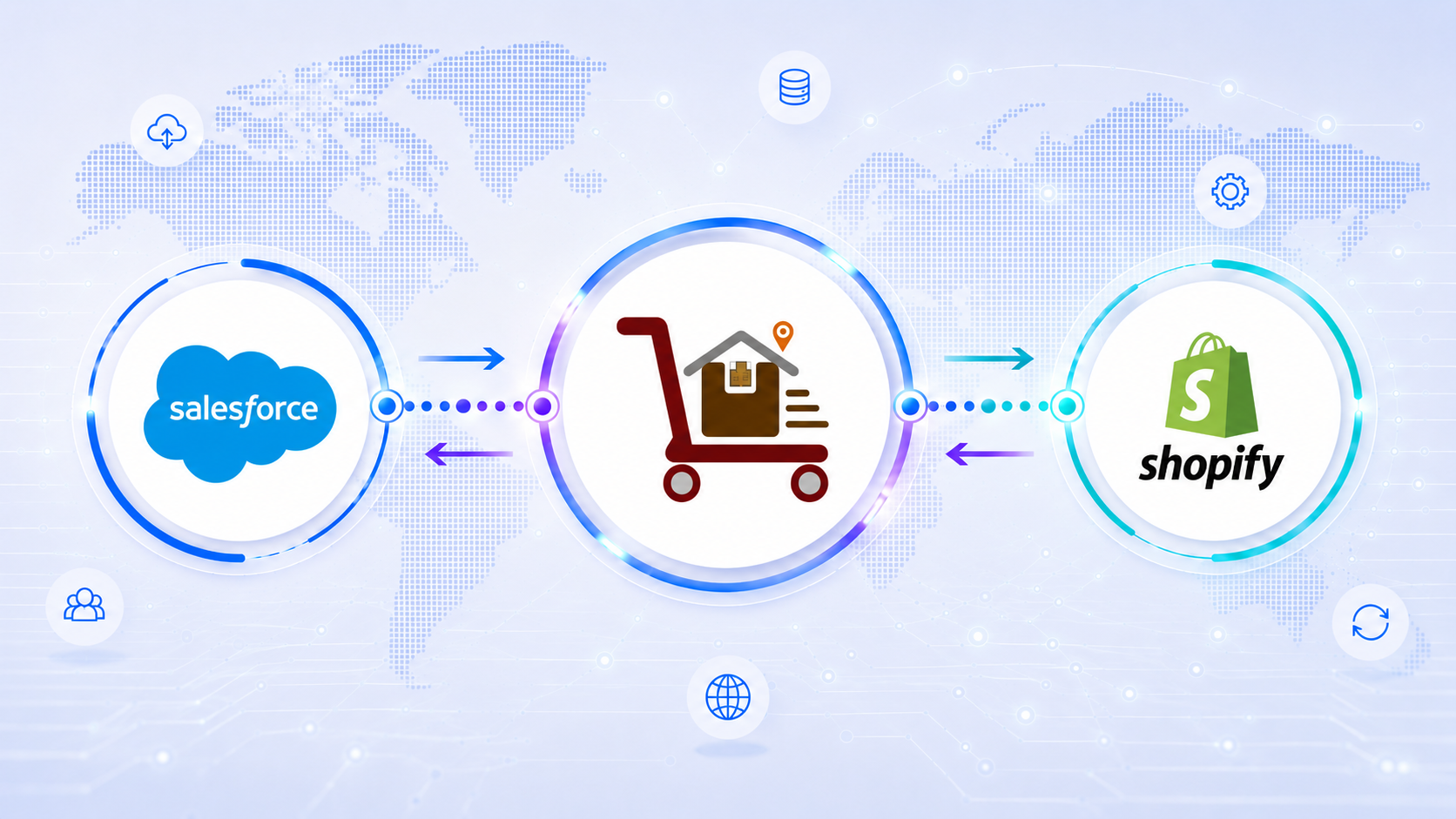
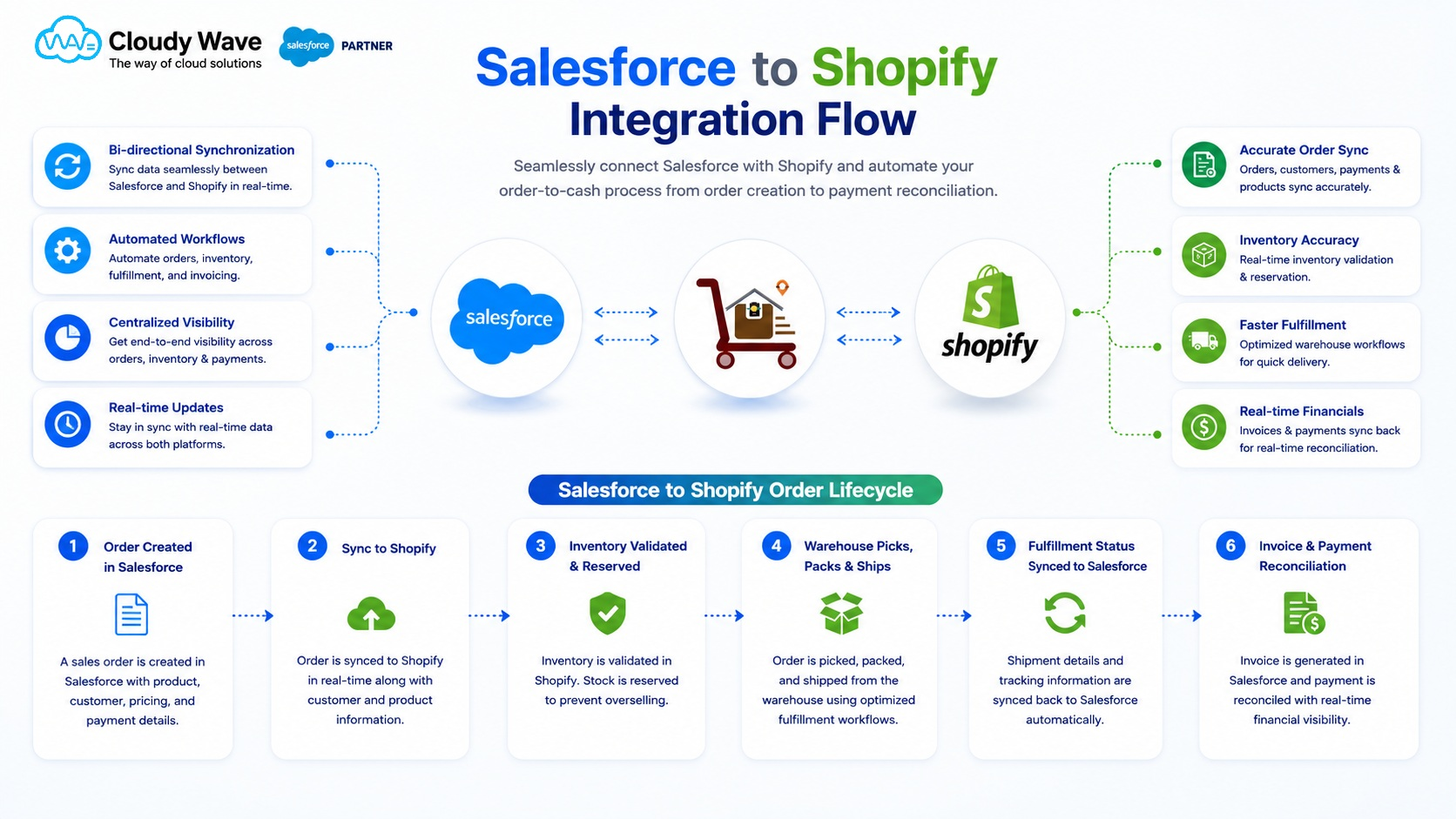
Shopify Salesforce Integration for Real-Time Business Operations
Cloudy Business Ops 360 delivers a powerful Shopify Salesforce Integration that syncs customers, products, inventory, orders, shipments, and invoices in real time. Eliminate manual data entry, improve order accuracy, and manage your entire commerce operation directly inside Salesforce without complex middleware.
Trusted by Leading Companies
Our Globally 80+ Clients.












 10+
10+
Years of Salesforce Excellence
 80+
80+
Happy Clients
 95%
95%
Implementation Success Rate
 Certified Salesforce
ISV & ConsultingPartner
×

60%
faster quote & order processing
Cloudy Wave customer outcomes
40%
reduction in stock discrepancies
Cloudy Wave customer outcomes
50%
less manual data entry
Cloudy Wave customer outcomes
70%
lower total licensing cost
vs. middleware alternatives
Native vs. middleware
Shopify Salesforce Integration: Native vs. Middleware
Many B2B sellers have attempted to connect Shopify and Salesforce through tools like Celigo or Boomi. Here is what that actually means at scale.
| Consideration | Middleware tools |  Business Ops 360 (native) Business Ops 360 (native) |
|---|---|---|
| Data residency | Data passes through a third-party system | ✓Stays entirely within your Salesforce org |
| Sync speed | Batch-based (15 min to hourly delays) | ✓True real-time, event-driven sync |
| Maintenance overhead | Breaks when either platform updates its API | ✓Maintained as part of the AppExchange package |
| Custom business logic | Requires separate development for each rule | ✓Configurable within Salesforce flows and rules |
| Security & compliance | Additional attack surface via third-party system | ✓No data leaves your Salesforce org |
| Total cost | Middleware licence + integration maintenance costs | ✓Single Business Ops 360 subscription |
Clients Feedback
Don't Just Take Our Word for It

Cloudy Wave played a key role in building our complex financial operations with Salesforce ERP software. Their deep technical expertise, combined with a responsive and reliable approach, helped us streamline processes and scale efficiently

Over the past 8 years, Cloudy Wave has consistently delivered exceptional value. Their expertise in Salesforce ERP software, combined with a reliable and forward-thinking approach, has transformed our operations and enhanced our overall business performance.

We’ve partnered with Cloudy Wave for over 8 years, and their expertise in Salesforce ERP software has been exceptional. They consistently deliver high-quality solutions and proactively recommend improvements that have enhanced our operations and customer experience.
Supported Commerce & Accounting Integrations
Connect Shopify, Xero, QuickBooks, and Zoho Books with Cloudy Business Ops 360 for seamless data synchronization from a single platform.