








 Survey Header & Footer
This option allows users to replace the default survey header and footer with custom content tailored for a specific survey. It enables personalized branding by adding unique titles, instructions, logos, or closing messages. When activated, the system displays the customized header and footer instead of the global default, ensuring each survey can have its own distinct appearance and messaging.
- Override Header & Footer (Toggle)
- Purpose: Enables or disables the ability to customize the survey’s header and footer for this specific survey.
- When Active: The user can define a unique header and footer instead of using the system default.
- When Inactive: The survey will use the default header and footer defined at the system level.
- Survey Header (Text Editor Field)
- Purpose: Used to design the top section (intro) of the survey.
- Use Case: You can include a welcome message, title, logo, or brief instructions for participants.
- Features: Supports rich text formatting (bold, italic, underline, lists, alignment, links, and more).

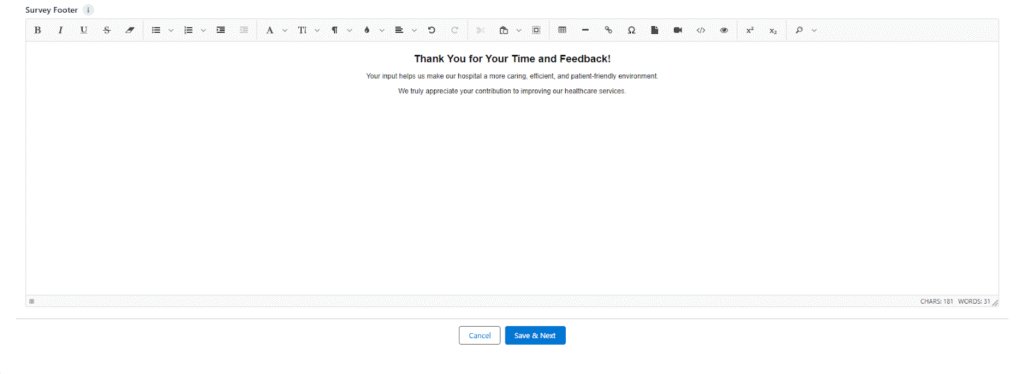
- Survey Footer (Text Editor Field)
- Purpose: Used to design the bottom section (outro) of the survey.
- Use Case: You can include a thank-you note, contact information, or closing remarks.
- Features: Same rich text editor for consistent styling and formatting.
- Buttons
- Cancel: Discards any changes and exits the current screen.
- Save & Next: Saves the entered header and footer details and navigates to the next step in survey creation.