








 Setup
Setup
The Setup tab in the Survey & Form app allows administrators to configure global settings that control how surveys behave across Salesforce.
This includes auto-numbering, public site settings, global header/footer, favicon, and theme import.
The Setup page contains four main configuration sections:
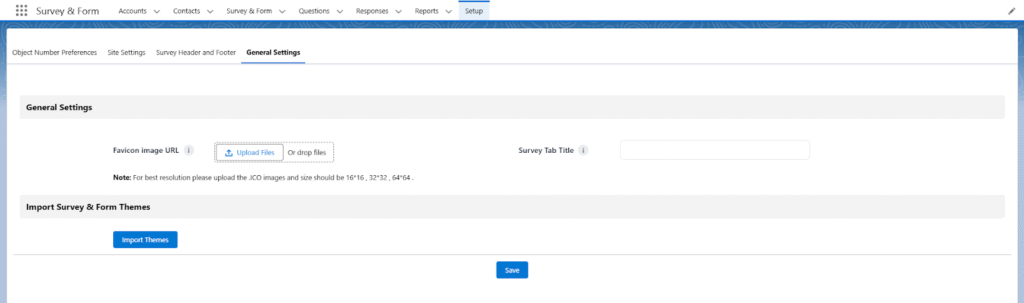
Object Auto-Number Preferences
This section controls how Salesforce automatically generates unique numbers for:
- Questions
- Responses
- Surveys
- Survey Invitation
- Survey Question
Purpose
To maintain clean, consistent, and automatically generated naming formats.
Options Available
| Setting | Description |
| Enable Auto-generating Numbers | Turn ON/OFF automatic numbering. If disabled, the user must enter names manually. |
| Start Number | The starting number for auto naming (Example: 1). |
| Number Format | Defines the naming pattern (Ex: Q-{0}, Survey-{0}). |
| Last Number | Shows the last used number; next number increments automatically. |
Behavior for Surveys
- If Auto-number = Disabled and user does not enter a Survey Name, the system still assigns the next number automatically to avoid errors.
Site Settings
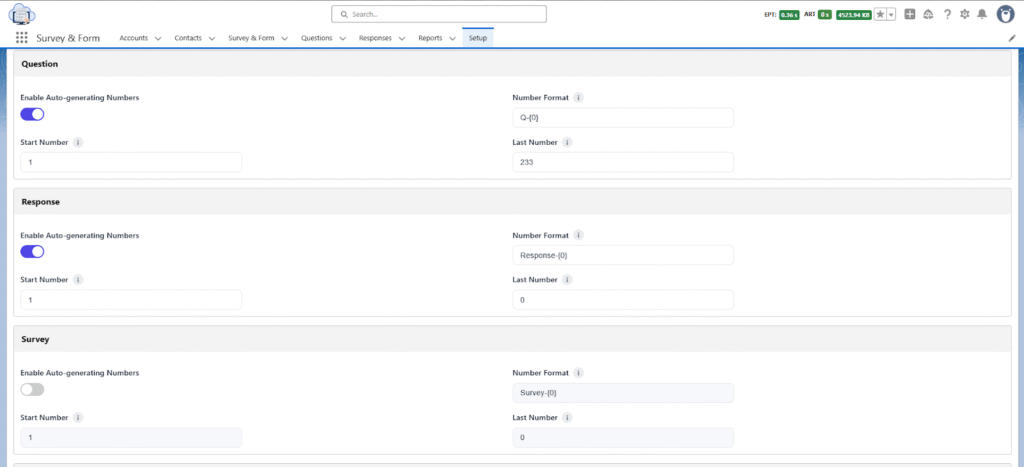
This section defines the public domain site and publishing behavior for surveys accessed by external users.
Settings Available
| Setting | Description |
| Public Domain Site | Select the Salesforce Site used to host public surveys. |
| Public Domain Site URL | URL where surveys will be accessible publicly. |
| Enable Redirect | Redirect respondents to a different page after submitting. |
| Success URL | Page to redirect users to after successful submission. |
| Fail URL | Page to redirect users to if submission fails. |
Survey Header and Footer
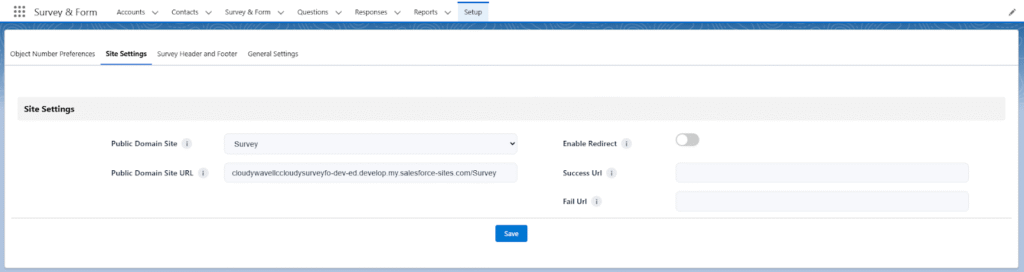
This is a global configuration allowing you to define a standard header and footer that will automatically appear on all surveys.
Purpose
- Maintain a consistent brand look.
- Add company logo, title, or disclaimer for every survey.
- Avoid manual setup for each survey.
Usage
Whatever you configure here will appear across all surveys unless overridden individually.
General Settings
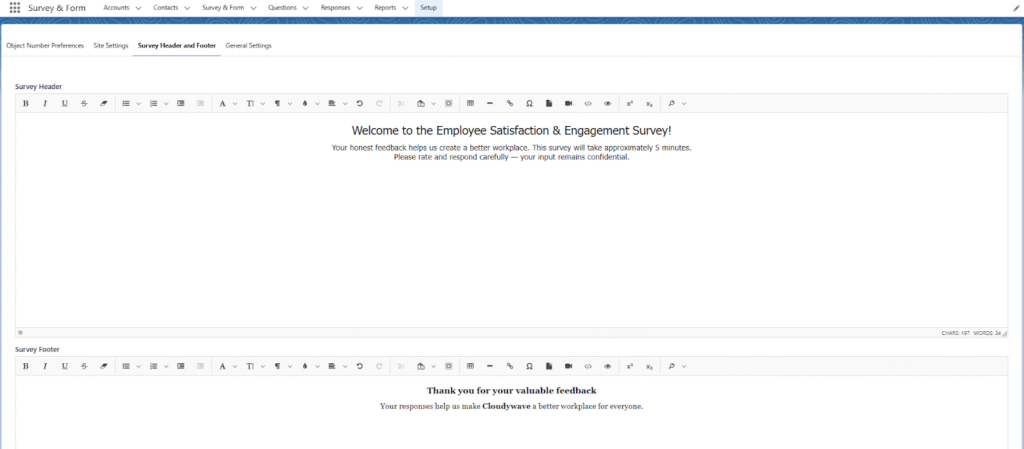
The General Settings page includes global UI and theme configuration.
Settings Available
| Setting | Description |
| Favicon Image URL | Add a custom favicon that appears in the browser tab of public surveys. |
| Survey Tab Title | The browser tab title for all surveys. Helpful for branding. |
| Import Survey & Form Themes | Upload or import predefined styling themes for surveys. |
Purpose
- Improve branding and visual identity.
- Control the look-and-feel of all surveys globally.