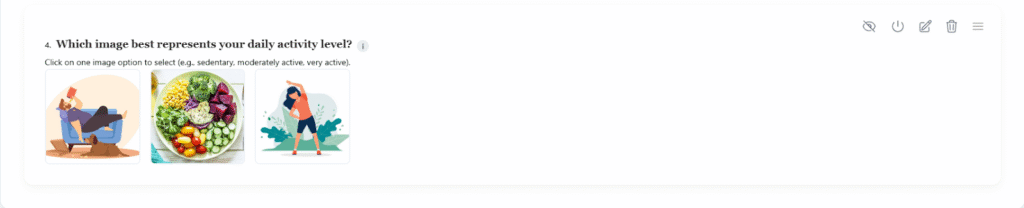









 Image Choice
Displays options as images instead of text.
Purpose:
Ideal for visual selection—product photos, color choices, design samples, icons, patterns, or picture-based questions.
Limit:
No limit.
Validation / Special Configuration:.
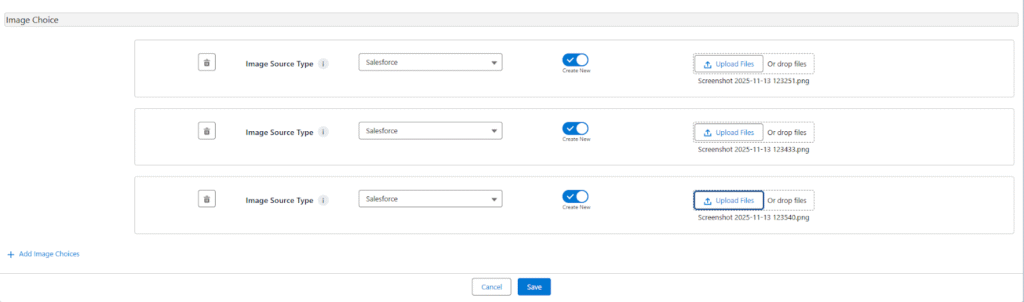
- Each image can have a label.
- Users can upload new images or select from existing files stored in Salesforce using the “Select Existing Files” option.
- After activating the “Add Existing” toggle button, the user can upload or choose images from Salesforce.
- Supports Salesforce file source type configuration for managed image storage.
Use Case:
Used for lifestyle assessment or visual symptom selection.
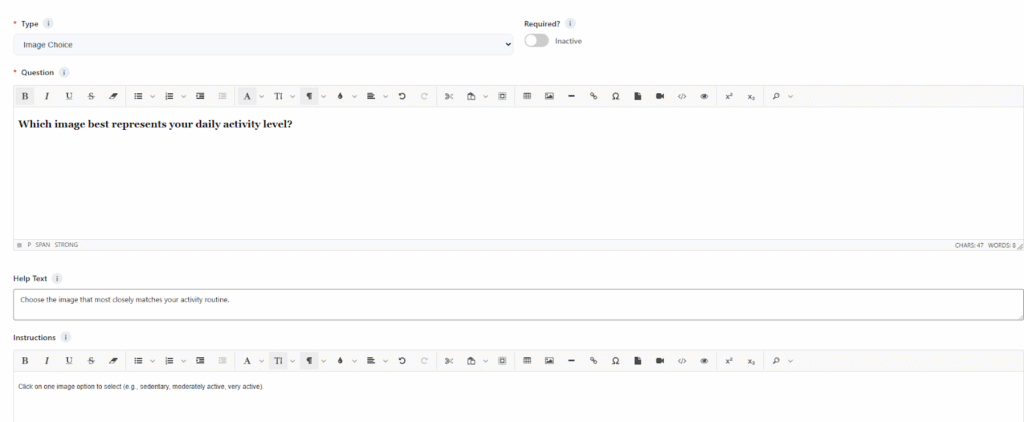
Question Configuration Example:
- Question: Which image best represents your daily activity level?
- Help Text: Choose the image that most closely matches your activity routine.
- Instruction: Click on one image option to select (e.g., sedentary, moderately active, very active)
After adding the Question in the Survey Editor