









 Clone Survey
The Clone Survey feature allows users to quickly create a duplicate copy of an existing survey. This helps save time by avoiding manual re-creation of questions, sections, logic, and configurations.
When to Use Clone Survey
Use this feature when you want to:
- Reuse an existing survey structure.
- Create similar surveys for different audiences or departments.
- Maintain a standard template and make small modifications.
- Perform testing without affecting the original survey.
What Gets Cloned
When you clone a survey, the system copies:
Survey-Level Details
- Survey Name
- Survey Description
- Welcome Message
- Thank You Message
- Header & Footer Content
- Branding Settings (logo, color theme)
Configuration
- Target Object & Mapping
- Survey Settings (pagination, scoring, etc.)
- Survey Logic / Branching
- Response Settings
Question-Level Details
- All 26 Question Types
- Questions, Help Text, and Instructions
- Options, Labels, Images, Limits
- Sections and Section Titles
- Validation Rules
- Conditional Visibility
(Everything except system-generated IDs is cloned.)
What Is NOT Cloned
The system does NOT copy:
- Survey Responses
- Response Analytics
- Created Date / Modified Date
- Survey Sharing or Assignments
- Integration Tokens (if any)
How to Clone a Survey
Follow these steps:
- Navigate to the Survey List Page
Go to the “Surveys” tab to view all available surveys.
- Select the Survey to Clone
Hover over or open the survey you want to duplicate.
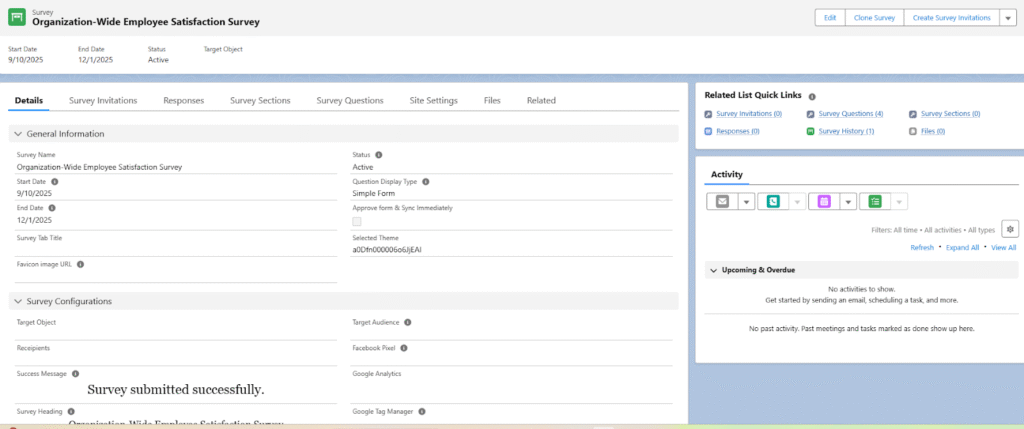
- Click “Clone Survey”
You will see a Clone Survey button.
Click on the Clone Button.
Get the Success message in the Window
Click on the Close button
- Enter a New Survey Name
The system auto-creates a name like:
“Original Survey Name”
You may change this name. - Review the Cloned Survey
After cloning, the system opens the new survey in View mode you can Edit on it.
You can update:- Questions
- Sections
- Logic
- Branding
- Settings
- Save Your Changes
Your cloned survey is now ready for publishing or additional modifications.
Best Practices
- Rename cloned surveys clearly (e.g., “Customer Feedback – 2025 Version”).
- Review branching rules after cloning to ensure they still match the new flow.
- Update target objects if cloning for a different module.
- Check image questions to verify images remain properly linked.