





 Salesforce ERP
 ERP + CRM Platform
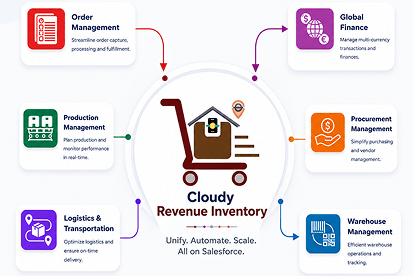
  Inventory Management
  Warehouse Management
  Order Management
  Vendor Management
  Logistics Management
  BOM Management
  Order Fulfillment
  Business Operations
  SaaS Platform for Operations
  Salesforce Cloud ERP Platform
  Xero
Xero
 Zoho books
 Quickbooks
 Shopify
 Acumatica
 SAP
SAP
 Odoo
Odoo
 NetSuite
 Microsoft Dynamics 365
 Sage
Sage



 Agentforce Revenue Management
 Agentforce Revenue Management + Billing
  Salesforce CPQ
 Salesforce Advanced Billing
  Migrate from CPQ to ARM
  Managed Services
 Salesforce Implementation
 Revenue Cloud Implementation
 ServiceNow Consulting Services
 Zoho CRM implementation
 MuleSoft Integration
 Workato Integration
 Microsoft
 Data Cloud
 Tableau

 Survey Lifecycle and Audience Control
This feature provides administrators with full control over when a survey is active, who can access it, and how the collected responses will be organized within Salesforce. It ensures that every survey is properly governed from creation to completion.
Cloudy Survey & Form centralizes these operational controls within the General tab:
Scheduling
- Define the Start Date and End Date to precisely manage when the survey is open for responses. This prevents early or unintended submissions and ensures proper timing for campaigns, feedback cycles, or internal assessments.
Targeting
- Configure the Target Audience—such as a select group of Contacts—and define the Target Object (e.g., Case, Account, Opportunity).
This ensures all responses are automatically linked to the appropriate Salesforce record for deeper insights and contextual reporting.
Record Management
- Assign a Record Type to categorize incoming responses within Salesforce. This helps streamline reporting, automation, and segmentation of survey data—especially when multiple surveys or business processes are involved.